


How can I update the certificate used by the 10ZiG Manager Secure Connector proxy?

You can easily update the Secure Connector certificate by running the MgrWsRelayConfig program from the following directory: C:\Program Files (x86)\10ZiG\10ZiG Manager\MgrWsRelay
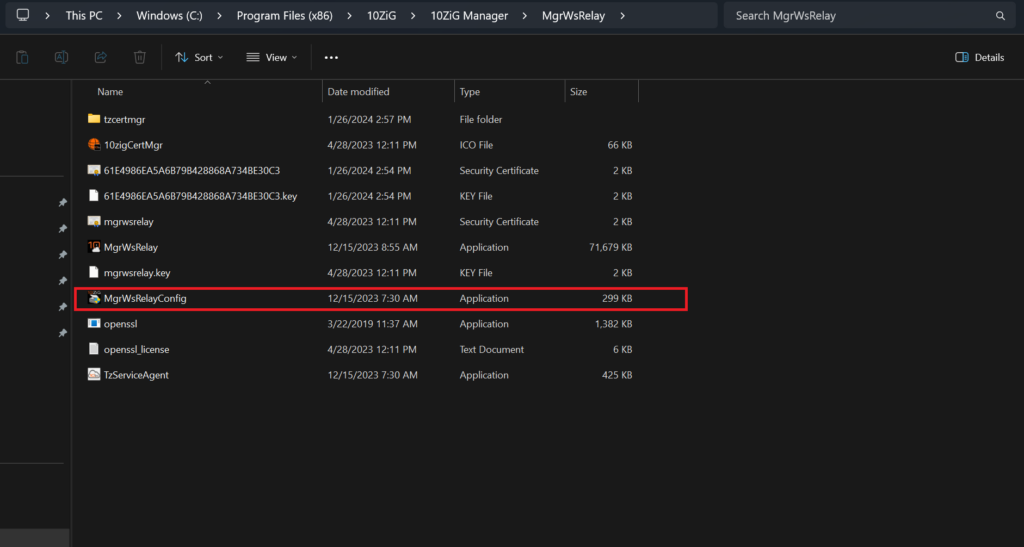
Running the MgrWsRelayConfig application will bring up the 10ZIG Manager Secure Connector Setup menu from where you will have the option to generate a new self-signed certificate or import an already existing cert.
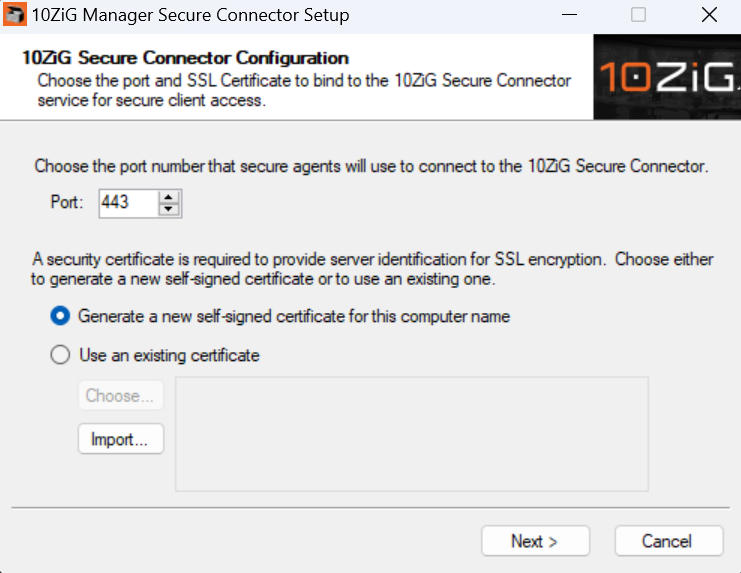
If you would like to use an existing cert, click the “Import” button to import your desired certificate. You may also generate a self-signed certificate if desired.
Once the cert has been successfully imported, please restart the 10ZIG Manager Services to ensure the changes take effect.