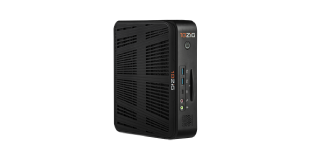
HARDWARE
Compact, Energy-Efficient Devices for Remote Computing Access
Secure Endpoints with No Local Storage for Seamless Integration
Filter and view Modernized Thin Clients, Modernized Zero Clients, and Trusted Zero Clients with FREE Demo Access.
OPERATING SYSTEMS
The 10ZiG OS Family offers four Operating System options
SOFTWARE
Transform Existing Hardware into Secure, High-Performance Virtual Endpoints
MANAGEMENT
Streamline Endpoint Management with Our Free, Robust Software Solution
First step is to disable single signon… by adding a string entry “AllowSingleSignon” with a value of “false” to HKEY_LOCAL_MACHINE\SOFTWARE\VMware, Inc.\VMware VDM\Agent\Configuration on the VM that you want to assign a specific client.
This is done using regedit, or with a GPO. This can be done either on the source for a pool, an individual machine in a pool (but it will be overwritten with a recompose), or for a single non-linked clone vm in a pool. Create a AD user, depending on your client device’s autologin requirements for the username naming convention, and then assign that user to that VM.
When the device logs in, it will get its assigned VM based on the username.(Make sure you only assign that user to a single pool/vm). Since single sign on has been disabled, it does not pass the view credentials to the VM… requiring the user to log in.

Then on the V1200 change the connection type to View Connection Server + Auto-logon
You will need an AD account that has rights to that desktop and also enter the pool name to select. The pool I used only has one desktop in it so this V1200 always connects to that desktop only.

Experience the power of 10ZiG risk-free. No credit card. No obligation.