


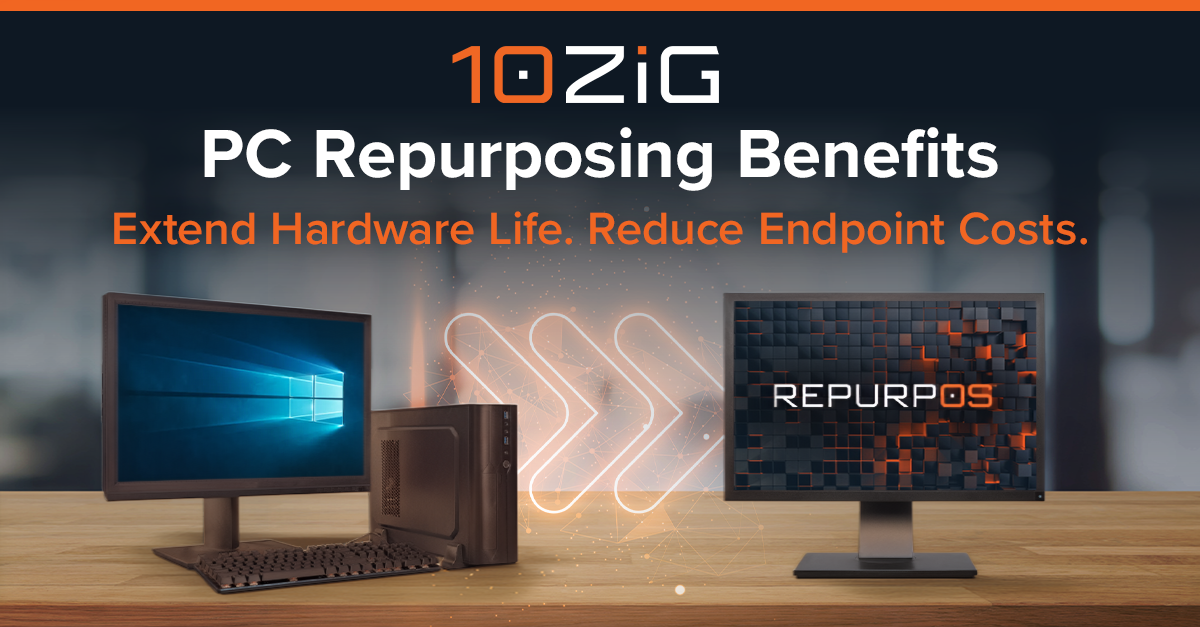
Replacing hundreds or thousands of PCs every few years represents a significant expense for businesses. Beyond the cost of new hardware, organizations must account for operating system upgrades, software licensing, deployment, maintenance, and ongoing endpoint management. As hardware prices fluctuate and IT budgets come under pressure, many organizations are looking for ways to reduce endpoint costs without compromising performance or security.
PC repurposing offers a practical way to extend the useful life of existing computers by converting them into Thin Client endpoints. Instead of replacing every PC or continuing to maintain a full desktop operating system, IT teams can use lightweight, Linux-based operating systems to transform compatible PCs, laptops, and other devices into centrally managed endpoints for accessing virtual desktops, cloud applications, and digital workspaces.
Understanding the benefits of PC repurposing can help organizations lower their total cost of ownership (TCO), simplify endpoint management, and make more strategic decisions about future hardware investments.
What Is PC Repurposing?
PC repurposing is the process of converting an existing desktop computer, laptop, or compatible third-party Thin Client into a device designed primarily to access centrally hosted desktops and applications.
Rather than running a traditional Windows desktop environment locally, a repurposed PC uses a lightweight operating system, often Linux-based, to connect users to virtual desktop infrastructure (VDI), Desktop as a Service (DaaS), and cloud workspaces.
For example, an organization moving to Microsoft Azure Virtual Desktop, Windows 365, Citrix, or Omnissa Horizon may have hundreds of existing PCs that are still functional but no longer need to run a resource-intensive operating system that is difficult to manage on top of unmanaged applications running locally.
By replacing the local operating system with a purpose-built Thin Client OS, IT teams can continue using those devices while reducing the complexity and cost of managing them.
Solutions such as 10ZiG RepurpOS™ enable organizations to convert compatible existing hardware into centrally managed Thin Client endpoints without immediately investing in new devices.
5 Key Benefits of PC Repurposing for Businesses
- Reduced Hardware Replacement Costs
One of the biggest financial benefits of PC repurposing is the ability to delay unnecessary hardware purchases.
Traditional PC refresh cycles typically require organizations to replace devices every three to five years, even when many remain physically functional. For businesses with large endpoint estates, these refreshes can represent substantial capital expenditures.
PC repurposing helps reduce these costs in several ways:
- Extended hardware lifecycles: Compatible PCs and laptops can remain productive beyond their original planned refresh date when used primarily to access centrally hosted applications.
- Reduced upfront spending: Organizations can avoid replacing every device simultaneously, spreading hardware investments across multiple budget cycles.
- Better use of existing assets: IT teams can extract additional value from hardware that has already been purchased and deployed.
Repurposing is particularly valuable for mid-lifecycle PCs that still have reliable components but may not meet the requirements of newer operating systems.
However, not every PC should be repurposed. Aging or unreliable hardware may be more economical to replace with purpose-built Thin Clients. A blended strategy allows organizations to repurpose viable devices while replacing those that have reached the end of their useful life.
- Lower Operating System and Endpoint Management Costs
The cost of owning a PC extends well beyond the initial purchase price. Traditional Windows endpoints require ongoing updates, security patches, application maintenance, troubleshooting, and operating system lifecycle management.
Repurposing PCs with a lightweight Thin Client operating system can reduce these administrative burdens.
- Simplified operating systems: Purpose-built Thin Client software eliminates many unnecessary local applications and background processes.
- Centralized endpoint management: IT teams can remotely configure, update, and maintain compatible devices without visiting individual workstations.
- Reduced software complexity: Moving applications and desktop workloads to centralized environments reduces the number of software components that must be maintained locally.
With 10ZiG Manager™, IT administrators can centrally manage compatible repurposed PCs alongside 10ZiG Thin and Zero Clients. The management software is provided at no additional management licensing cost, helping organizations avoid another recurring endpoint management subscription expense.
- Improved Endpoint Security
Traditional PCs present security challenges because they typically run full-featured operating systems, support locally installed applications, and may store sensitive business information.
PC repurposing can help organizations reduce endpoint exposure by replacing a general-purpose operating system with a more focused environment designed for accessing centrally hosted resources.
Key security benefits include:
- Chain of Trust: UEFI Secure Boot, Unified Kernel Images (UKIs), and encrypted, read-only packages help establish a secure boot process and protect the endpoint operating system’s integrity.
- Reduced attack surface: Lightweight Thin Client operating systems can limit unnecessary services, applications, and local functionality.
- Less local data storage: When applications and data remain within centralized desktop environments, organizations can reduce the amount of sensitive information stored on individual devices.
- Consistent security configurations: Centralized management helps IT teams apply standardized endpoint settings and updates across distributed locations.
While repurposing does not eliminate the need for endpoint security, identity protection, or access controls, it can support a more consistent security posture and complement Zero Trust strategies.
- Lower Total Cost of Ownership and Environmental Impact
Evaluating endpoint costs requires looking beyond hardware purchases to consider the total cost of ownership over a device’s useful life.
PC repurposing can reduce TCO by combining lower replacement spending with simplified maintenance and centralized administration.
It can also support corporate sustainability initiatives.
- Reduced electronic waste: Extending the life of functional PCs delays disposal and reduces the volume of equipment entering the waste stream.
- Lower demand for new hardware: Reusing existing devices can reduce the environmental impact associated with manufacturing and transporting replacements.
- More strategic refresh cycles: Organizations can replace equipment based on actual condition and user requirements rather than a fixed schedule.
Repurposing does not necessarily reduce the electricity consumed by an existing PC. Purpose-built Thin Clients may offer additional energy savings compared with traditional desktop hardware, making them an attractive option when replacement becomes necessary.
The objective is to balance financial efficiency, sustainability, and long-term endpoint reliability.
- Greater Flexibility for VDI and Cloud Workspace Deployments
As organizations adopt virtual desktops and cloud-delivered applications, the role of the endpoint is changing.
Instead of performing all application processing locally, many devices primarily provide access to workloads running in a data center or cloud environment. This creates an opportunity to use simpler, more cost-effective endpoints.
PC repurposing supports this transition by allowing businesses to:
- Accelerate VDI adoption: Convert existing PCs into access devices for virtual desktop environments without requiring an immediate hardware refresh.
- Support multiple workspace platforms: Use compatible repurposed endpoints with technologies such as Citrix, Omnissa Horizon, Microsoft Azure Virtual Desktop, and Windows 365.
- Standardize endpoint environments: Manage repurposed PCs and purpose-built Thin Clients through a consistent operating and management model.
This flexibility is especially valuable for organizations transitioning away from traditional desktop computing while managing existing hardware investments.
PC Repurposing Use Cases Across Industries
PC repurposing can deliver cost and management benefits across industries with large endpoint deployments, distributed locations, or shared workstations.
In healthcare, hospitals and clinics can repurpose compatible PCs to provide access to centrally hosted clinical applications and virtual desktops. This can help extend hardware investments while supporting standardized workstations across departments.
Educational institutions can convert existing classroom and computer lab PCs into Thin Client endpoints, extending device lifecycles while providing students with access to centrally managed applications.
In financial services, repurposed endpoints can support secure access to virtual desktops across branches and administrative offices. Similarly, government organizations can use repurposing to reduce refresh expenses while maintaining centralized control over endpoint configurations.
Manufacturing, retail, and other organizations with shift-based workers can also benefit by repurposing compatible workstations used primarily to access a limited set of centrally hosted applications.
Across these environments, the goal is consistent: provide reliable application access while reducing unnecessary endpoint spending and management complexity.
What to Consider Before Repurposing PCs
Although PC repurposing offers financial and operational advantages, not every device or workload is a good candidate.
Before converting existing hardware, IT teams should evaluate several factors:
- Hardware condition and compatibility: Assess device age, reliability, processor capabilities, memory, networking, and compatibility with the selected Thin Client operating system.
- User and application requirements: Determine whether employees primarily access virtual desktops and cloud applications or still require substantial local processing capabilities.
- Peripheral support: Validate compatibility with monitors, USB devices, printers, scanners, webcams, and other required peripherals.
- Security and management: Confirm that repurposed devices can receive appropriate updates, support required authentication methods, and be centrally managed.
- Remaining useful life: Compare the cost of maintaining older hardware with the benefits of deploying new purpose-built Thin Clients.
A proof of concept (POC) can help organizations validate performance, compatibility, and management requirements before expanding PC repurposing across their endpoint estate.
How 10ZiG RepurpOS Helps Reduce Endpoint Costs
10ZiG provides a flexible approach to endpoint modernization that combines PC repurposing software, purpose-built Thin and Zero Clients, and centralized endpoint management.
10ZiG RepurpOS is designed to transform compatible existing PCs, laptops, and third-party Thin Clients into dedicated endpoints for virtual desktop and cloud workspace environments.
By replacing a traditional desktop operating system with a lightweight, Linux-based alternative, organizations can extend hardware lifecycles while simplifying endpoint administration.
Combined with 10ZiG Manager, IT teams can centrally configure, update, and manage compatible repurposed endpoints alongside 10ZiG hardware, providing a consistent approach across mixed-device environments.
This gives organizations the flexibility to repurpose devices that still have useful life while deploying new Thin Clients where hardware replacement makes greater financial and operational sense.
A Smarter Approach to Lowering Endpoint Costs
Lowering endpoint costs does not mean keeping every PC indefinitely or avoiding hardware refreshes altogether. It means making more informed decisions about when to repurpose, when to replace, and how to manage both environments efficiently.
PC repurposing helps organizations extend existing hardware investments, reduce operating system maintenance, and support the transition to virtual desktops and cloud workspaces. Combined with purpose-built Thin Clients and centralized management, it can form part of a more cost-effective and sustainable endpoint strategy.
Explore 10ZiG’s PC Repurposing Solutions to learn how RepurpOS and 10ZiG Manager can help your organization reduce endpoint costs and maximize existing hardware investments.
Frequently Asked Questions About PC Repurposing
What is PC repurposing?
PC repurposing converts existing desktop computers, laptops, or compatible Thin Clients into devices used primarily to access virtual desktops and cloud applications. A lightweight operating system replaces the traditional desktop OS, allowing organizations to extend hardware lifecycles and simplify endpoint management.
How does PC repurposing reduce IT costs?
PC repurposing reduces IT costs by delaying unnecessary hardware replacements, extending the useful life of existing devices, and simplifying operating system maintenance. Centralized endpoint management can also reduce administrative effort and help lower total cost of ownership.
Can an old PC be converted into a Thin Client?
Yes. Many existing PCs and laptops can be converted into Thin Client endpoints using compatible software such as 10ZiG RepurpOS. Hardware compatibility, device condition, and application requirements should be evaluated before conversion.
Is PC repurposing better than buying new Thin Clients?
Both approaches offer advantages. Repurposing can be cost-effective for reliable, mid-lifecycle PCs, while new purpose-built Thin Clients may offer longer-term benefits in energy efficiency, reliability, and lifecycle management. Many organizations benefit from combining both strategies.