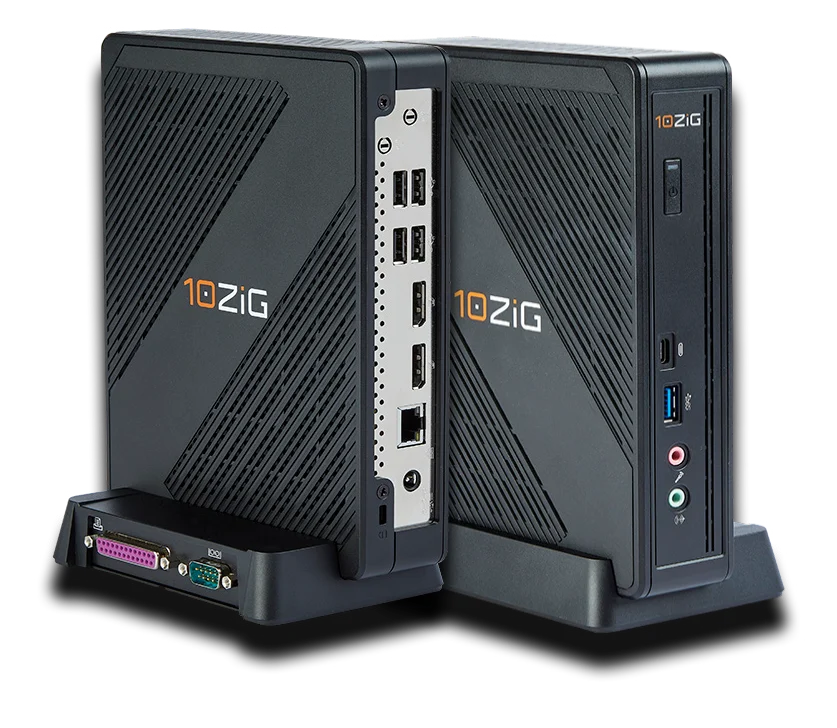
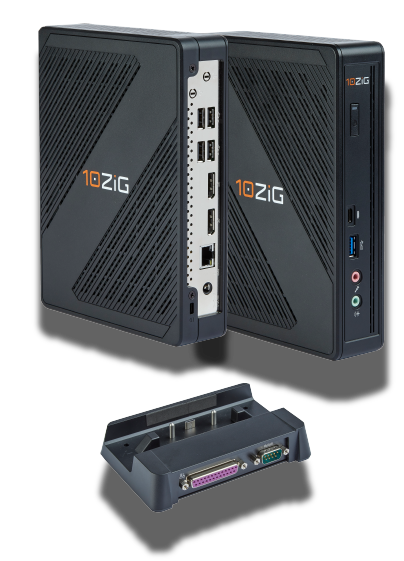
10ZiG Technology 6148qv Achieves VMware Partner Ready Status for VMware Horizon Validation
Last update: January 7, 2022
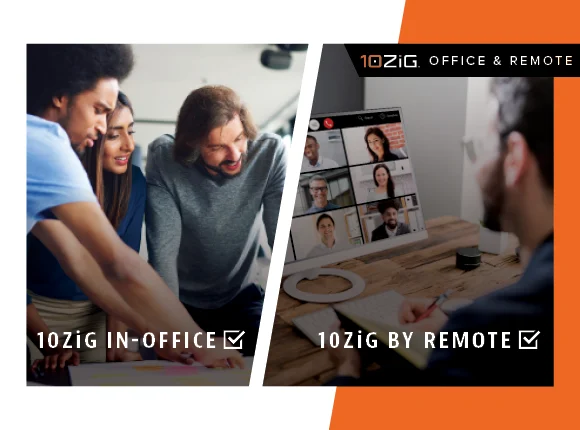
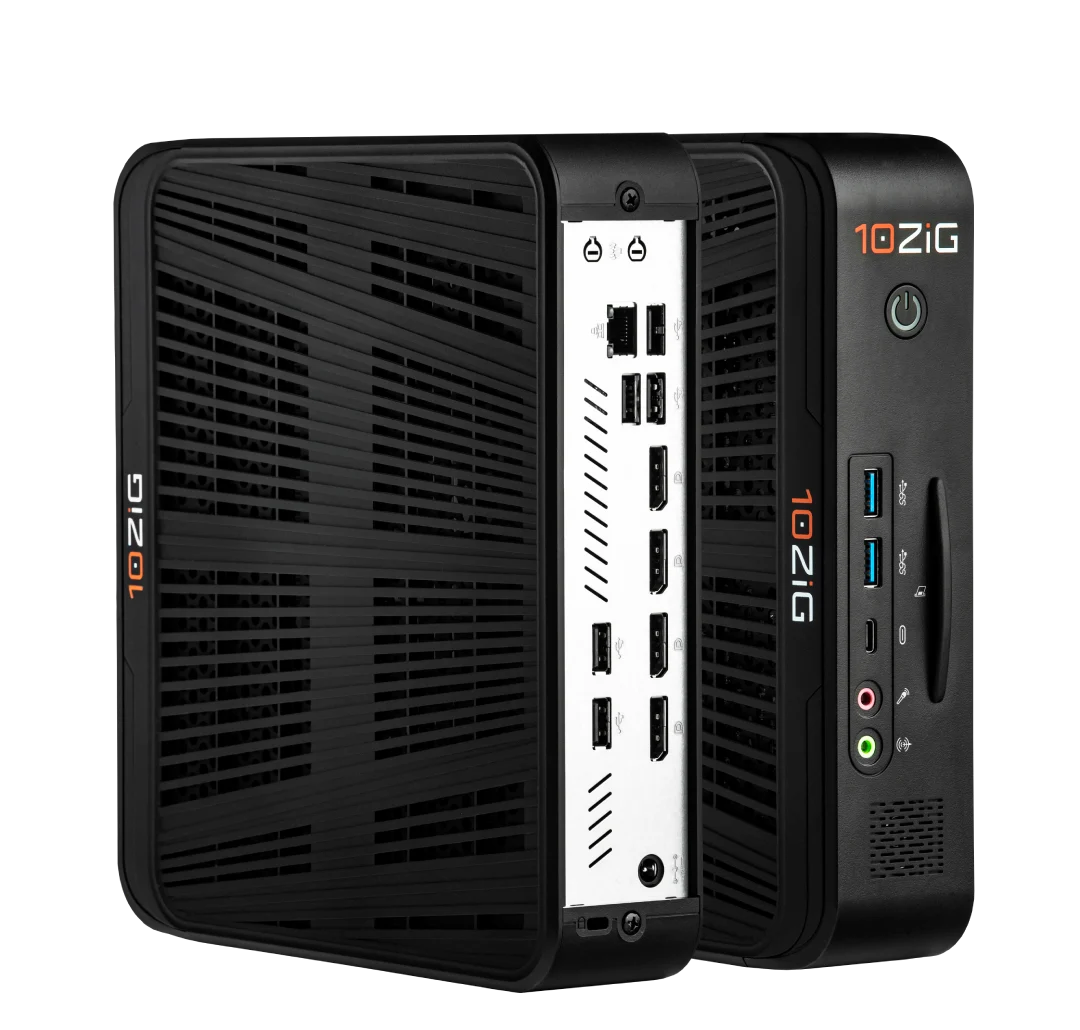
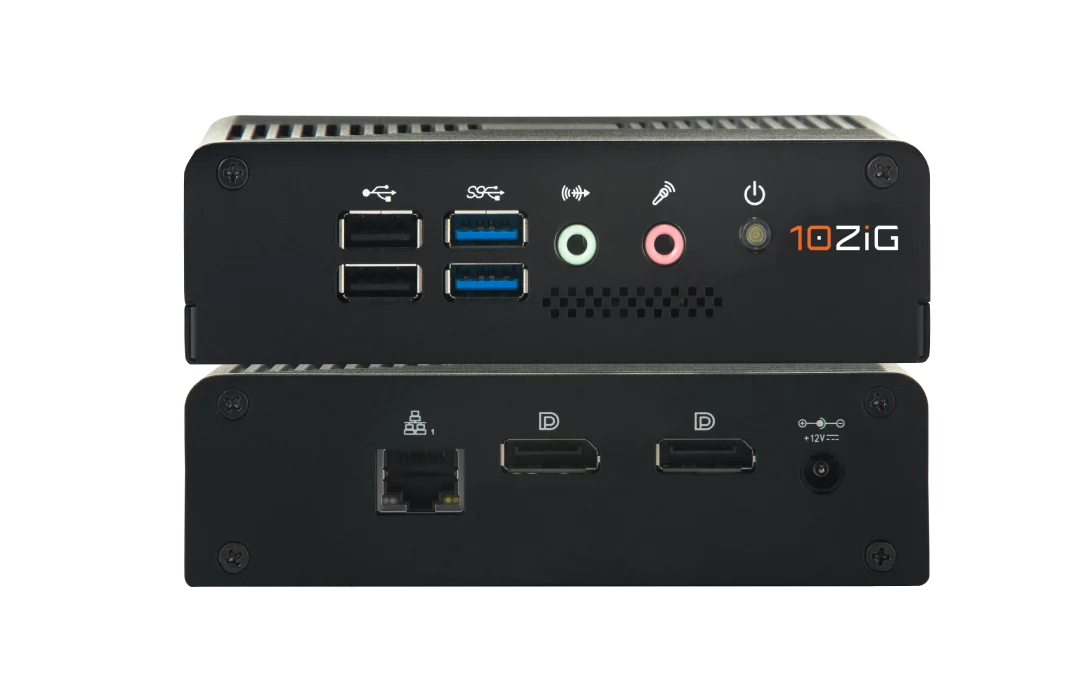
January 7, 2022 – 10ZiG Technology, today announced that its 10ZiG 6148qv Zero Client has achieved VMware Ready™ status. This designation indicates that after a detailed validation process 10ZiG Zero Client 6148qv has achieved VMware’s highest level of endorsement and is supported on VMware Horizon 2111 for production environments. “We are pleased that 10ZiG Zero Client 6148qv Zero Client qualifies for the VMware Ready™ logo, signifying to customers that it has met specific VMware interoperability standards and works effectively with VMware cloud infrastructure. This signifies to customers that 10ZiG 6148qv Zero Client can be deployed in production environments with confidence and can speed time to value within customer environments,” said Kristen Edwards, director, Technology Alliance Partner Program, VMware. “By using 10ZiG Technology with Horizon 2111, organizations can work successfully in an office or remote VDI environment.
Duis suscipit ornare leo sed tincidunt. Nullam sodales vitae turpis eu placerat. Maecenas bibendum arcu sed feugiat sodales. Fusce ullamcorper nisi felis, quis feugiat ante bibendum in. Donec tempor mi risus. Nulla facilisi. Pellentesque dui justo, eleifend ut augue vitae, maximus viverra ligula. Nulla facilisi.
Morbi eu augue et diam euismod consectetur malesuada in mauris. Phasellus lacinia neque ut diam feugiat rutrum. Aliquam ac tellus dolor. In condimentum laoreet sem, a volutpat libero bibendum vitae. Maecenas lacus massa, suscipit in enim a, luctus suscipit elit. Curabitur nisi mi, aliquet ac massa sit amet, elementum condimentum nibh. Morbi et sagittis sapien. Vestibulum nulla erat, ullamcorper eget ornare non, tincidunt sed urna. Duis rhoncus id nisl non consectetur. Nunc pellentesque nunc a nibh fringilla, ut blandit lorem sollicitudin. Proin sodales in mauris ut pretium. Maecenas nec sem eget justo ornare cursus.
Duis suscipit ornare leo sed tincidunt. Nullam sodales vitae turpis eu placerat. Maecenas bibendum arcu sed feugiat sodales. Fusce ullamcorper nisi felis, quis feugiat ante bibendum in. Donec tempor mi risus. Nulla facilisi. Pellentesque dui justo, eleifend ut augue vitae, maximus viverra ligula. Nulla facilisi.
Morbi eu augue et diam euismod consectetur malesuada in mauris. Phasellus lacinia neque ut diam feugiat rutrum. Aliquam ac tellus dolor. In condimentum laoreet sem, a volutpat libero bibendum vitae. Maecenas lacus massa, suscipit in enim a, luctus suscipit elit. Curabitur nisi mi, aliquet ac massa sit amet, elementum condimentum nibh. Morbi et sagittis sapien. Vestibulum nulla erat, ullamcorper eget ornare non, tincidunt sed urna. Duis rhoncus id nisl non consectetur. Nunc pellentesque nunc a nibh fringilla, ut blandit lorem sollicitudin. Proin sodales in mauris ut pretium. Maecenas nec sem eget justo ornare cursus.
Duis suscipit ornare leo sed tincidunt. Nullam sodales vitae turpis eu placerat. Maecenas bibendum arcu sed feugiat sodales. Fusce ullamcorper nisi felis, quis feugiat ante bibendum in. Donec tempor mi risus. Nulla facilisi. Pellentesque dui justo, eleifend ut augue vitae, maximus viverra ligula. Nulla facilisi.
Morbi eu augue et diam euismod consectetur malesuada in mauris. Phasellus lacinia neque ut diam feugiat rutrum. Aliquam ac tellus dolor. In condimentum laoreet sem, a volutpat libero bibendum vitae. Maecenas lacus massa, suscipit in enim a, luctus suscipit elit. Curabitur nisi mi, aliquet ac massa sit amet, elementum condimentum nibh. Morbi et sagittis sapien. Vestibulum nulla erat, ullamcorper eget ornare non, tincidunt sed urna. Duis rhoncus id nisl non consectetur. Nunc pellentesque nunc a nibh fringilla, ut blandit lorem sollicitudin. Proin sodales in mauris ut pretium. Maecenas nec sem eget justo ornare cursus.
The Internet of Things (IoT) is characterized by interconnected smart devices, including ones that you may already have in your home – such as smart speakers, thermostats, and even doorbells. However, IoT Applications range far beyond the smart home. From the office to the factory and everywhere in-between, companies are beginning to harness the power of these embedded systems to drive business outcomes.
The true source of the Internet of Thing’s power is data. By giving us real-time insights into machine metrics and human behavior, we’re able to optimize processes, reduce tedium, and find new avenues to grow and cut costs. For instance, by using IoT data as input for a machine learning (ML) algorithm, we can enable predictive maintenance that reduces downtime by fixing mission-critical devices before they break.
One traditional problem, however, is a lack of integration. If your phone is full of Apps to control smart home devices – one for the lights, one for the thermostat, one for the doorbell, etc .– then you know what we mean. Simply put, it can become so hard to manage that often time, it’s hardly worth it. Trying to scale that across a company or even a department is even more complicated.
Internet of Things & Thin Clients
By using a Thin Client for IoT, we can solve this problem, and more. Thin Clients are perfect for displaying IoT dashboards that employees can quickly reference or use to issue commands. They make great IoT gateways for connecting sensors and other edge devices to the organization’s centralized cloud or server infrastructure. Some other Thin Client IoT use cases include:
Digital signage
Smart building
IoT gateway
Human machine interface (HMI)
Smart home
Industrial control
Retail point of service (POS)
Kiosk
ATM
Medical devices
Manufacturing devices
Essentially, Thin Clients are the ideal point of contact for users to interact with the IoT because they’re small, lightweight, energy efficient, and low cost. For this article, we’re going to focus on Window IoT OS. Let’s dive in…
Thin Clients & Windows IoT
Microsoft’s Windows 10 IoT comes in two varieties. Win10 IoT Core is the smallest Windows Operating System, and it’s designed to run a single application in the foreground at a time. So, for instance, if all we need is a dashboard that shows different values (temperature, status, etc.) or allows us to make adjustments or issue commands, IoT Core is a great solution.
The other variety is Win10 IoT Enterprise. This Operating System gives us a full version of Windows 10, alongside specialized features that are optimized for integrating with the IoT ecosystem, such as locking down specific sets of applications and peripherals. A common use case for this is providing a workstation for a Technician who has to manage IoT devices alongside other computing tasks.
Without a doubt, the best reason to choose a Win10 IoT Thin Client is if your organization already operates within Microsoft’s ecosystem. If you host virtual desktops and other infrastructure on the Azure cloud, for instance, Win10 IoT is an easy choice. For example, being able to use an existing Active Directory for authorization and authentication streamlines that whole process and makes life easier for the IT Department. The same goes for other Microsoft applications, especially if they’re going to make use of the data streaming from the IoT devices.
10ZiG Endpoint Devices & IoT
For 17+ years, 10ZiG Technology has been an industry-leading Thin & Zero Client Endpoint provider for VDI & Cloud supporting Microsoft, Citrix, VMware, and more. Where 10ZiG differs from other providers is that we are solely focused on Thin & Zero Client Endpoints, which makes us Specialists at what we do. Our promise is that we make our product fit into the customer’s computing environment and not the other way around.
The 10ZiG range of x86 hardware covers task-user to power-user, dual to quad screen, is TAA compliant, and comes equipped with quality-performing Intel and AMD processors. DisplayPorts, HDMI, Gigabit ethernet, Fiber (SFP ready), and Dual Band Wireless are just a few of the options that come with devices that are readily available, U.S.-based, and guaranteed. 10ZiG performance hardware is designed from the ground up for ever-changing user experience demands for IoT-based Operating Systems and more.
10ZiG 6048qv Zero Client Achieves VMware Partner Ready for Horizon Clients Validation
Last update: October 27, 2021
10ZIG Technology, today announced that its 10ZiG 6048qv Zero Client has achieved VMware Ready™ status. This designation indicates that after a detailed validation process 10ZiG Zero Client 6048qv has achieved VMware’s highest level of endorsement and is supported on VMware Horizon Clients 2106 for production environments.
“We are pleased that 10ZiG 6048qv Zero Client qualifies for the VMware Ready™ logo, signifying to customers that it has met specific VMware interoperability standards and works effectively with VMware cloud infrastructure. This signifies to customers that 10ZiG 6048qv Zero Client can be deployed in production environments with confidence and can speed time to value within customer environments,
Duis suscipit ornare leo sed tincidunt. Nullam sodales vitae turpis eu placerat. Maecenas bibendum arcu sed feugiat sodales. Fusce ullamcorper nisi felis, quis feugiat ante bibendum in. Donec tempor mi risus. Nulla facilisi. Pellentesque dui justo, eleifend ut augue vitae, maximus viverra ligula. Nulla facilisi.
Morbi eu augue et diam euismod consectetur malesuada in mauris. Phasellus lacinia neque ut diam feugiat rutrum. Aliquam ac tellus dolor. In condimentum laoreet sem, a volutpat libero bibendum vitae. Maecenas lacus massa, suscipit in enim a, luctus suscipit elit. Curabitur nisi mi, aliquet ac massa sit amet, elementum condimentum nibh. Morbi et sagittis sapien. Vestibulum nulla erat, ullamcorper eget ornare non, tincidunt sed urna. Duis rhoncus id nisl non consectetur. Nunc pellentesque nunc a nibh fringilla, ut blandit lorem sollicitudin. Proin sodales in mauris ut pretium. Maecenas nec sem eget justo ornare cursus.
Duis suscipit ornare leo sed tincidunt. Nullam sodales vitae turpis eu placerat. Maecenas bibendum arcu sed feugiat sodales. Fusce ullamcorper nisi felis, quis feugiat ante bibendum in. Donec tempor mi risus. Nulla facilisi. Pellentesque dui justo, eleifend ut augue vitae, maximus viverra ligula. Nulla facilisi.
Morbi eu augue et diam euismod consectetur malesuada in mauris. Phasellus lacinia neque ut diam feugiat rutrum. Aliquam ac tellus dolor. In condimentum laoreet sem, a volutpat libero bibendum vitae. Maecenas lacus massa, suscipit in enim a, luctus suscipit elit. Curabitur nisi mi, aliquet ac massa sit amet, elementum condimentum nibh. Morbi et sagittis sapien. Vestibulum nulla erat, ullamcorper eget ornare non, tincidunt sed urna. Duis rhoncus id nisl non consectetur. Nunc pellentesque nunc a nibh fringilla, ut blandit lorem sollicitudin. Proin sodales in mauris ut pretium. Maecenas nec sem eget justo ornare cursus.
Duis suscipit ornare leo sed tincidunt. Nullam sodales vitae turpis eu placerat. Maecenas bibendum arcu sed feugiat sodales. Fusce ullamcorper nisi felis, quis feugiat ante bibendum in. Donec tempor mi risus. Nulla facilisi. Pellentesque dui justo, eleifend ut augue vitae, maximus viverra ligula. Nulla facilisi.
Morbi eu augue et diam euismod consectetur malesuada in mauris. Phasellus lacinia neque ut diam feugiat rutrum. Aliquam ac tellus dolor. In condimentum laoreet sem, a volutpat libero bibendum vitae. Maecenas lacus massa, suscipit in enim a, luctus suscipit elit. Curabitur nisi mi, aliquet ac massa sit amet, elementum condimentum nibh. Morbi et sagittis sapien. Vestibulum nulla erat, ullamcorper eget ornare non, tincidunt sed urna. Duis rhoncus id nisl non consectetur. Nunc pellentesque nunc a nibh fringilla, ut blandit lorem sollicitudin. Proin sodales in mauris ut pretium. Maecenas nec sem eget justo ornare cursus.
Desktop Virtualization: Choosing Between Cloud or On-Premise
Last update: September 8, 2021
Desktop Virtualization: Cloud or On-Premise
Whether you’re setting up Thin Clients for users in an office or provisioning Zero Clients for a remote workforce, you’re going to need access to some powerful computing to run the virtual desktop infrastructure (VDI) that host the desktop virtualization environments.
You have two main options: in the Cloud or On-Premise. Essentially, the fundamental difference between the two comes down to these initial questions – Where is the server located and Who is responsible for server maintenance?
Cloud Computing basically means that you’re using remote servers in someone else’s data center and that they’re responsible for provisioning and maintaining it. Cloud offerings can range from Infrastructure as a Service (IaaS), which provides base access to hardware in the Cloud, to Platform as a Service (PaaS), which includes an operating system, all the way to Software as a Service (SaaS), where the Cloud company is responsible for the entire application and its underlying technology stack. On-Premise, on the other hand, means that you ‘own’ the machine and are responsible for everything from keeping the software up-to-date all the way to the HVAC system that keeps the servers cool. (Both of these options are applicable, whether your computing environment is desktop virtualization or not.)
Cloud /vs/ On-Premise: Pros and Cons – Desktop Virtualization and More
Picking the right option comes with understanding the advantages and disadvantages of each. Here are five important areas of consideration.
Cost
Price point is a good first thing to think about. In many cases, Cloud Computing will be cheaper than On-Premise, because you don’t need to buy related server or storage hardware, fix it, or pay an IT admin to maintain it. Most Cloud providers use a pay-as-you-go model, where you pay a monthly charge based on how many resources you use. For smaller organizations who want to leverage VDI desktop virtualization, this could be a no-brainer, but larger enterprises should really crunch the numbers to figure out whether it’s worth running desktops in the Cloud. One last note here is that Cloud and On-Premise fit into different parts of the budget; while On-Premise is largely CAPEX, Cloud falls into OPEX.
Security
Security should be your next biggest concern. In almost all cases, Cloud is more secure than On-Premise. Most major Cloud providers can afford to spend more on cybersecurity than even the most well-funded organizations, giving you access to talent and technology that may otherwise be out of reach. On top of that, Cloud providers will patch vulnerabilities at any time, meaning you don’t have to call IT in the middle of the night, over the weekend, or when they’re on vacation. As a result, companies that leverage Cloud Computing have an extra layer of defense against ransomware and other attacks against their desktop virtualization environment.
Scalability
In Cloud also has the benefit of scalability. Scalability in Cloud computing is the ability to quickly and easily increase or decrease the size or power of your IT solution. A scalable Cloud is why you can sign up and use most Cloud solutions in just a few minutes, if not seconds – sometimes, with just the push of a button. That is a big gain for fast-growing companies, or those that have frequently shifting requirements, whereas On-Premise requires a lot more set up and configuration.
Latency
Simply put, the further away your endpoints are from their server, the more latency they will experience. This can cut both ways, though, depending on where your desktop virtualization employees work from. Office workers can benefit from the low latency of connecting to a local On-Premise server, while remote workers may also experience lower latency if the Cloud provider has a data center that’s geographically closer than their company’s data center.
Compliance
Compliance is a final consideration. If you’re in a strictly regulated industry like healthcare for example, you need to make sure that your chosen Cloud Provider is HIPAA-compliant. Some regulations require certain types of data to be carefully protected, and On-Premise configurations can guarantee you meet these requirements.
Desktop Virtualization Environment: What is VDI?
For those who may need a reminder, VDI is a way of hosting a desktop operating system (such as Microsoft Windows, Linux, Mac OS, etc.) virtually on a centralized or remote server. The endpoint’s data, as well as desktop image, is managed within what is called a Virtual Machine, which is a completely isolated and secure guest operating system installation within a normal host operating system residing on a server.
Desktop virtualization software lets your end users access their desktop operating system as if it is on their computer. It also allows users to access and present data to workstations over a local area network (LAN) or a wide area network (WAN). Examples of these software providers are VMware, Citrix, and Microsoft.
Thin & Zero Clients are perfect endpoint solutions for both VDI and Cloud. For 17+ years, 10ZiG Technology has been an industry-leading Thin & Zero Client Endpoint and Management Software provider for VDI & Cloud. Where 10ZiG differs from others is that we are solely focused on Thin & Zero Client Endpoints, which makes us specialists at what we do. Always a front-runner in many VDI advances, our promise is that we make our product fit your desktop virtualization computing environments and not the other way around.
Our range of x86 hardware covers task-user to power-user, dual to quad screen, is TAA compliant, and comes equipped with quality-performing Intel and AMD processors. DisplayPort, HDMI, Gigabit ethernet, Fiber (SFP ready), and Dual Band Wireless are just a few of the options that come with devices that are readily available, U.S. based, guaranteed and backed by the 10ZiG 3-Year Advance Replacement Warranty. You can also test drive the Power, Speed and Performance with our flexible Demo Device program.
The 10ZiG Manager™ is our FREE, easy to use endpoint management software suite provided to customers using endpoints running a 10ZiG OS in desktop virtualization infrastructure – from x86 devices to laptops, tablets or old, outdated Dell or HP endpoints, among others. The 10ZiG Manager provides IT Admins. the choice of managing endpoints via traditional LAN/ WAN or the Cloud – using either our Desktop or Web Console. Both platforms come with a variety of features that make managing large volumes of endpoints a breeze, regardless of your location.
Microsoft Endpoint Manager and Managing 10ZiG Windows 10 Thin Clients
Last update: July 19, 2021
Managing your 10ZiG Windows 10 Thin Clients using Microsoft Endpoint Manager, formerly known as Microsoft Intune.
In this How-To Video, we explain how to create device groups, so that you can separate your endpoints or group them together for regions or test labs and demonstrate the enrollment process at the endpoint. This guide will show you how to create “Configuration Profiles” for your devices and give examples of how to finetune and tweak your Client by using the many customizable settings available. We demonstrate how to set up your own “Intune” win32 application packages within the Azure AD, and then deploy them to the physical 10ZiG Clients. There is also a segment on how to set up your Thin Client to logon automatically and run in a kiosk type manner by harnessing the power of Microsoft’s “Shell Launcher Version 2”. This will allow us to run a more secure and manageable Client by only allowing access to a single WVD / AVD Client to connect to your Azure Virtual Desktops. This is just an example of what the custom shell can do, but it can be tailored to run and connect to any VDI environment you wish.
Remember, that the free enterprise 10ZiG Manager has many of the functions covered in this video, such as the ability to create custom groups for our devices, build and deploy applications, and also create secure custom shells for specific users of the Windows 10 endpoints.
10ZiG® and Teradici® Collaboration Offers New Endpoint Connectivity to Teradici CAS and Amazon WorkSpaces Deployments
Last update: July 15, 2021
Teradici & 10ZiG
10ZiG Technology’s longstanding partnership with Teradici expands Thin Client support to leverage the superior performance of PCoIP Ultra® technology.
PHOENIX, ARIZONA – Since 2009, 10ZiG has supported customers’ virtual desktop deployments with a variety of PCoIP® solutions, including PCoIP Zero Clients and Remote Workstation Cards. As a provider of PCoIP VDI endpoint solutions and a longstanding Teradici partner, 10ZiG has expanded its endpoint support to include Teradici Thin Client Access (TCA) with 10ZiG Windows PCoIP Thin Client endpoint devices. TCA provides access to any Teradici CAS deployment on-premises, or in the cloud, and to Amazon WorkSpaces.
One of the newest 10ZiG Thin Clients, Windows 10 IoT 6110, is a perfect fit for the most graphics-intensive workloads and PCoIP Ultra performance enhancements. This power-user focused endpoint supports high-demand workers with support for up to four monitors and 4K/UHD resolution, and it is centrally managed with the always-free, cloud-enabled – The 10ZiG Manager™.
Kevin Greenway, 10ZiG CTO, “Our most recent hardware endpoint releases support Teradici CAS onsite, remotely, or hybrid, with incredible performance for high-end graphics… the 10ZiG 6110 being one of them. Combined with unlimited licenses for our 10ZiG Manager, our 3-Year Advance Warranty, and quality technical support, we’re seeing customers wanting to try it out for themselves more and more.
Duis suscipit ornare leo sed tincidunt. Nullam sodales vitae turpis eu placerat. Maecenas bibendum arcu sed feugiat sodales. Fusce ullamcorper nisi felis, quis feugiat ante bibendum in. Donec tempor mi risus. Nulla facilisi. Pellentesque dui justo, eleifend ut augue vitae, maximus viverra ligula. Nulla facilisi.
Morbi eu augue et diam euismod consectetur malesuada in mauris. Phasellus lacinia neque ut diam feugiat rutrum. Aliquam ac tellus dolor. In condimentum laoreet sem, a volutpat libero bibendum vitae. Maecenas lacus massa, suscipit in enim a, luctus suscipit elit. Curabitur nisi mi, aliquet ac massa sit amet, elementum condimentum nibh. Morbi et sagittis sapien. Vestibulum nulla erat, ullamcorper eget ornare non, tincidunt sed urna. Duis rhoncus id nisl non consectetur. Nunc pellentesque nunc a nibh fringilla, ut blandit lorem sollicitudin. Proin sodales in mauris ut pretium. Maecenas nec sem eget justo ornare cursus.
Duis suscipit ornare leo sed tincidunt. Nullam sodales vitae turpis eu placerat. Maecenas bibendum arcu sed feugiat sodales. Fusce ullamcorper nisi felis, quis feugiat ante bibendum in. Donec tempor mi risus. Nulla facilisi. Pellentesque dui justo, eleifend ut augue vitae, maximus viverra ligula. Nulla facilisi.
Morbi eu augue et diam euismod consectetur malesuada in mauris. Phasellus lacinia neque ut diam feugiat rutrum. Aliquam ac tellus dolor. In condimentum laoreet sem, a volutpat libero bibendum vitae. Maecenas lacus massa, suscipit in enim a, luctus suscipit elit. Curabitur nisi mi, aliquet ac massa sit amet, elementum condimentum nibh. Morbi et sagittis sapien. Vestibulum nulla erat, ullamcorper eget ornare non, tincidunt sed urna. Duis rhoncus id nisl non consectetur. Nunc pellentesque nunc a nibh fringilla, ut blandit lorem sollicitudin. Proin sodales in mauris ut pretium. Maecenas nec sem eget justo ornare cursus.
Duis suscipit ornare leo sed tincidunt. Nullam sodales vitae turpis eu placerat. Maecenas bibendum arcu sed feugiat sodales. Fusce ullamcorper nisi felis, quis feugiat ante bibendum in. Donec tempor mi risus. Nulla facilisi. Pellentesque dui justo, eleifend ut augue vitae, maximus viverra ligula. Nulla facilisi.
Morbi eu augue et diam euismod consectetur malesuada in mauris. Phasellus lacinia neque ut diam feugiat rutrum. Aliquam ac tellus dolor. In condimentum laoreet sem, a volutpat libero bibendum vitae. Maecenas lacus massa, suscipit in enim a, luctus suscipit elit. Curabitur nisi mi, aliquet ac massa sit amet, elementum condimentum nibh. Morbi et sagittis sapien. Vestibulum nulla erat, ullamcorper eget ornare non, tincidunt sed urna. Duis rhoncus id nisl non consectetur. Nunc pellentesque nunc a nibh fringilla, ut blandit lorem sollicitudin. Proin sodales in mauris ut pretium. Maecenas nec sem eget justo ornare cursus.
Azure Virtual Desktop (formerly Windows Virtual Desktop)
Last update: July 2, 2021
Azure Virtual Desktop – Windows Virtual Desktop is not just Windows Virtual Desktop anymore!
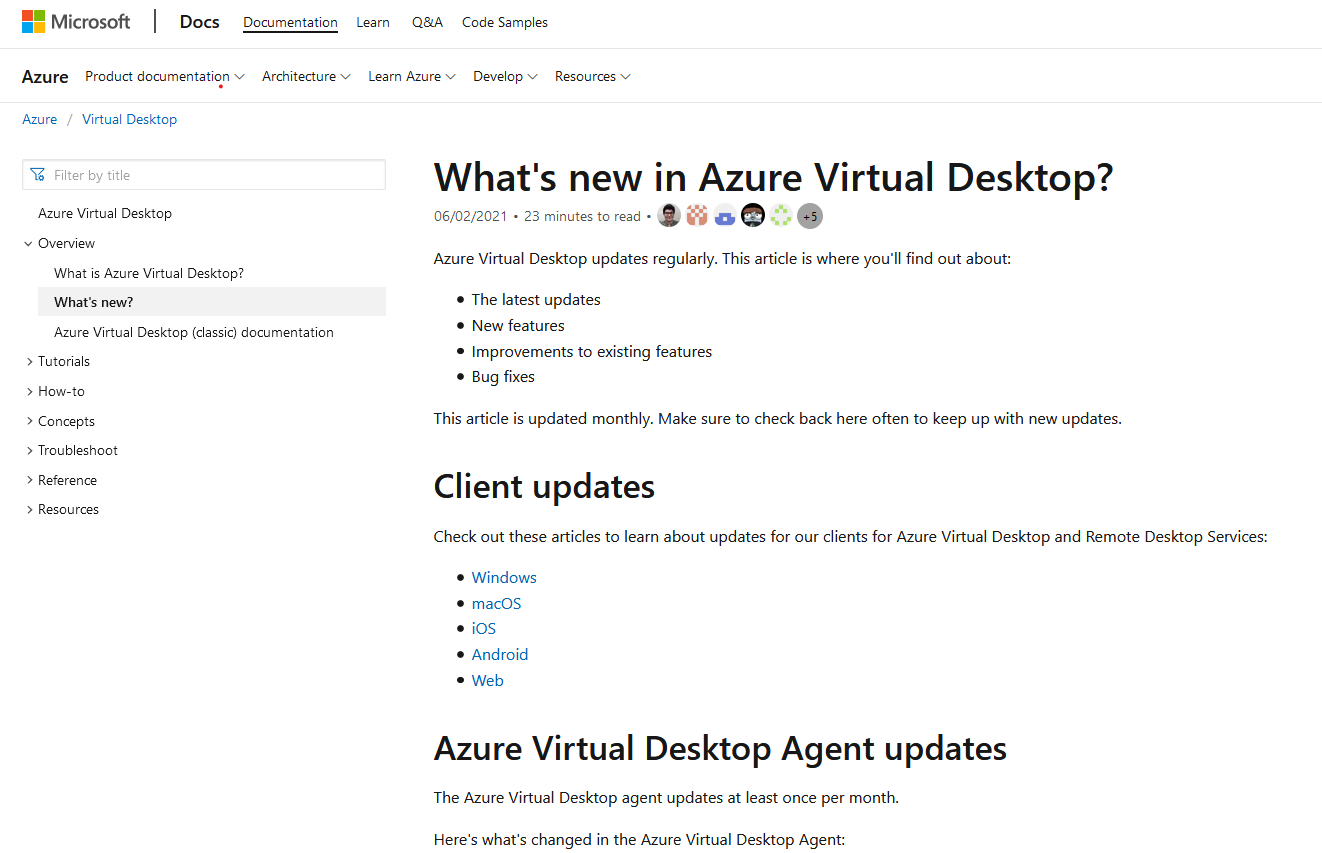
Microsoft Windows Virtual Desktop has changed with the “global pandemic” times, both with its new name – Azure Virtual Desktop – and new capabilities! It’s been nearly impossible to miss the essential Microsoft Azure change, but in case you did – Windows Virtual Desktop (WVD) is now Azure Virtual Desktop (AZD) and here’s why.
Azure Virtual Desktop: Demanding Workforce Changes and Support
A few years back, Windows Virtual Desktop arrived in all its glory – unfortunately not so long after, so did an international pandemic. According to Microsoft Azure, it became a fast reality that organizations all around the world were turning to Windows Virtual Desktop for support with the migration of important data and apps to the cloud to allow their workforces to work remotely with “resilience and agility.” From healthcare to educators to engineers, and more – Windows Virtual Desktop offered a secure, easy-to-manage, and productive remote computing experience with Windows 10 from the cloud.
Cut to early June 2021, and Microsoft announces changing the name of Windows Virtual Desktop to Azure Virtual Desktop, along with new capabilities, new pricing, and broader and ever-changing support for the needs of these organizations and their staffs. And, as workforces continued and continue to work remotely or take-on a hybrid approaches, WVD became AZD – “a flexible cloud VDI platform for nearly every use case – accessible from virtually anywhere.” The idea being that the new expansive platform is secure, scalable, flexible, and easy to manage, while delivering a seamless, high-performance experience to users.
Azure Virtual Desktop: New and Ongoing Technical Capabilities
You’ll want to watch the Azure Virtual Desktop space for ongoing support and capabilities, but a few came right along with the expanded name change itself. From a recent Microsoft update:
Enhanced support for Azure Active Directory – For joining your Azure Virtual Desktop virtual machines directly to Azure Active Directory (AAD) and connecting to virtual machines from any device with basic credentials. Automatically enroll virtual machines with Microsoft Endpoint Manager.
Manage Windows 10 Enterprise multi-session virtual machines with Microsoft Endpoint Manager (InTune) – Enroll Windows 10 Enterprise multi-session Azure Virtual Desktop virtual machines in Microsoft Endpoint Manager and manage them in the Microsoft Endpoint Manager admin center the same way as shared physical devices.
Deploy-in-Minutes Onboarding experience – Streamlined onboarding experience for Azure Virtual Desktop in the Azure portal. This validate requirements, kicks off an automated deployment, and also implements best practices. With only a few clicks, set up a full Azure Virtual Desktop environment in your Azure subscription.
Windows 10 Shell Launcher v2 - Sure, It's Not The Beach, But At Least It's a Custom Shell!
Last update: June 23, 2021
Microsoft Windows 10 Shell Launcher v2
Summer is here, and while we can’t whisk you away to the beach, we can certainly assist with Windows 10 Shell Launcher v2 and Custom Shells. If you’re a Microsoft Windows user, you are aware that this Operating System uses the Windows Shell as its Shell – providing a desktop environment, start menu, and task bar – and is the graphical user interface for accessing the file management functions of the Microsoft Windows OS. The Windows Shell, as it is known today, is an evolution of what began with Windows 95. It is identified with File Explorer (explorer.exe), a Windows component that can browse the entire Shell namespace. Shell Launcher can be used to replace the default Windows 10 OS Shell with a Custom Shell. You can use almost any application or executable as your Custom Shell, such as a command window or a custom-dedicated application. In Windows 10 Shell Launcher v1, you can only specify a Windows Desktop application as the replacement Shell. Whereas in Windows 10 Shell Launcher v2 (Windows 10 version 1809 and above) – you can specify a (Universal Windows Platform) UWP app as the replacement Shell. Windows 10 Shell Launcher v2 replaces explorer.exe with customshellhost.exe. This new executable file can launch a Windows Desktop application or a UWP app.
Creating Custom Shells Using The 10ZiG UWF Wizard
In the VDI world and here at 10ZiG, we have the capabilities for – and education on – how to create Custom Shells for Windows 10 Thin Clients using the Universal Write Filter (UWF) Wizard. This is for 10ZiG Thin Clients and uses the UWF that comes as part of the Windows 10ZiG Client builds. In our “How-To Custom Shell Video Series,” we look at creating dedicated Custom Shells for Windows-based Thin Clients. Creating Custom Shells using the more recent Windows 10 Shell Launcher v2, gives us the ability to launch a user’s desktop to run a single application at login, so that end users get access to what they need, and nothing more. Shell Launcher v2 enables us to run Universal Windows Platform (UWP) apps that can take advantage of secondary views and run on multiple monitors, if required. It also gives System Engineers and Administrators a more controlled and secure desktop environment to set up and manage. It is easily maintained, should the need to change applications for your end users comes up in the future. So whether you’re working, at the beach, or working at the beach (ha!), check out the video links below for tips, tricks, and Windows 10 Shell Launcher v2 Custom Shell training related to various protocols like Citrix, VMware, and more. It’s not a day-at-the-beach without a Custom Shell!
10ZiG® Technology Innovates Cloud Agent Authentication Feature as Part of its No-Cost Management Software, The 10ZiG Manager™
Last update: April 22, 2021
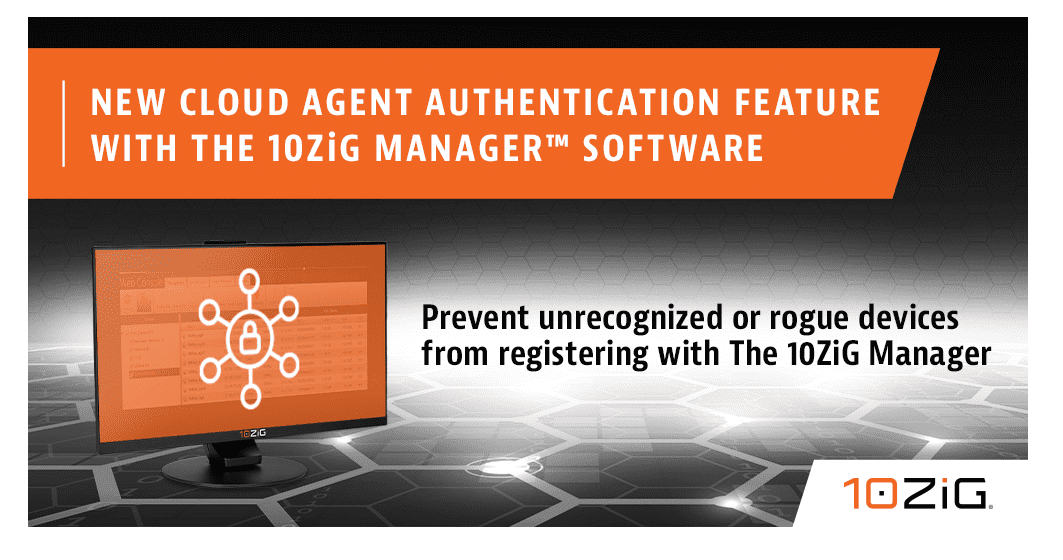
10ZiG® Technology Develops Cloud Authentication Process as a New Feature for its FREE Enterprise Centralized Management Software Tool, The 10ZiG Manager™.
PHOENIX, ARIZONA – Over recent years, 10ZiG Thin & Zero Client Hardware Specialists, have been earning quite a reputation in the VDI space for The 10ZiG Manager™, 10ZiG’s FREE Enterprise Centralized Management Software for endpoints running on a 10ZiG OS in a virtual desktop environment – from x86 devices to laptops, tablets, or old, outdated endpoints, etc. Providing IT Administrators with the choice of managing endpoints via traditional LAN/WAN or the Cloud, The 10ZiG Manager™ is equipped with innovative, cutting-edge features that make deploying and managing large volumes easy, and now even more securely, regardless of location.
The Cloud Connector, an integral part of The 10ZiG Manager™ Software Platform working in tandem with its Server, Console, and Web Manager settings, now features integrated Cloud Agent Authentication. 10ZiG Cloud Agents featured on 10ZiG Linux and Windows based endpoints can now be authenticated via the Cloud Connector using the 10ZiG Cloud Connector Authorization tool. Authorization codes can be issued to a single Client or used by multiple Clients. This provides flexibility on authenticating each individual Client, or group authentication based on for example, issuing to temporary contracted workers.
When the appropriate setting is enabled for the 10ZiG Cloud Connector, only remote Cloud Agents configured with an authorization within the database would be authenticated to connect and register with The 10ZiG Manager™. Unauthorized connections would not be authenticated and would be rejected. The authorization exchange is fully encrypted, as is the primary Cloud Agent to the Cloud Connector after a Client is authorized, ensuring the key exchange is not openly visible. Furthermore, the Cloud Agent Authorization Code can be used in combination with the Cloud Agent Registration Code, the latter which is used to automatically filter Clients into Management Configuration Groups.
Vu Nguyen, 10ZiG Senior Software Engineer, “The primary goal of the Cloud Agent Authorization is to prevent unrecognized or rogue devices from registering themselves with The 10ZiG Manager™. This new authentication feature adds an extra layer of security, in that the connecting Clients can verify as being part of the organization. IT Admins. can try it out for themselves with our Free Demo program at 10ZiG.com.
Duis suscipit ornare leo sed tincidunt. Nullam sodales vitae turpis eu placerat. Maecenas bibendum arcu sed feugiat sodales. Fusce ullamcorper nisi felis, quis feugiat ante bibendum in. Donec tempor mi risus. Nulla facilisi. Pellentesque dui justo, eleifend ut augue vitae, maximus viverra ligula. Nulla facilisi.
Morbi eu augue et diam euismod consectetur malesuada in mauris. Phasellus lacinia neque ut diam feugiat rutrum. Aliquam ac tellus dolor. In condimentum laoreet sem, a volutpat libero bibendum vitae. Maecenas lacus massa, suscipit in enim a, luctus suscipit elit. Curabitur nisi mi, aliquet ac massa sit amet, elementum condimentum nibh. Morbi et sagittis sapien. Vestibulum nulla erat, ullamcorper eget ornare non, tincidunt sed urna. Duis rhoncus id nisl non consectetur. Nunc pellentesque nunc a nibh fringilla, ut blandit lorem sollicitudin. Proin sodales in mauris ut pretium. Maecenas nec sem eget justo ornare cursus.
Duis suscipit ornare leo sed tincidunt. Nullam sodales vitae turpis eu placerat. Maecenas bibendum arcu sed feugiat sodales. Fusce ullamcorper nisi felis, quis feugiat ante bibendum in. Donec tempor mi risus. Nulla facilisi. Pellentesque dui justo, eleifend ut augue vitae, maximus viverra ligula. Nulla facilisi.
Morbi eu augue et diam euismod consectetur malesuada in mauris. Phasellus lacinia neque ut diam feugiat rutrum. Aliquam ac tellus dolor. In condimentum laoreet sem, a volutpat libero bibendum vitae. Maecenas lacus massa, suscipit in enim a, luctus suscipit elit. Curabitur nisi mi, aliquet ac massa sit amet, elementum condimentum nibh. Morbi et sagittis sapien. Vestibulum nulla erat, ullamcorper eget ornare non, tincidunt sed urna. Duis rhoncus id nisl non consectetur. Nunc pellentesque nunc a nibh fringilla, ut blandit lorem sollicitudin. Proin sodales in mauris ut pretium. Maecenas nec sem eget justo ornare cursus.
Duis suscipit ornare leo sed tincidunt. Nullam sodales vitae turpis eu placerat. Maecenas bibendum arcu sed feugiat sodales. Fusce ullamcorper nisi felis, quis feugiat ante bibendum in. Donec tempor mi risus. Nulla facilisi. Pellentesque dui justo, eleifend ut augue vitae, maximus viverra ligula. Nulla facilisi.
Morbi eu augue et diam euismod consectetur malesuada in mauris. Phasellus lacinia neque ut diam feugiat rutrum. Aliquam ac tellus dolor. In condimentum laoreet sem, a volutpat libero bibendum vitae. Maecenas lacus massa, suscipit in enim a, luctus suscipit elit. Curabitur nisi mi, aliquet ac massa sit amet, elementum condimentum nibh. Morbi et sagittis sapien. Vestibulum nulla erat, ullamcorper eget ornare non, tincidunt sed urna. Duis rhoncus id nisl non consectetur. Nunc pellentesque nunc a nibh fringilla, ut blandit lorem sollicitudin. Proin sodales in mauris ut pretium. Maecenas nec sem eget justo ornare cursus.
10ZiG® Expands Microsoft Windows Virtual Desktop Deployments with Linux and Windows-Based Endpoint Support
Last update: March 30, 2021
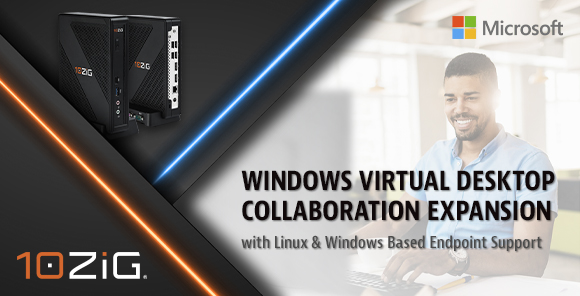
10ZiG Technology supports Microsoft Windows Virtual Desktop Deployments across its versatile range of Intel and AMD endpoints, featuring both Linux- and Windows-based operating systems.
PHOENIX, ARIZONA – 10ZiG Technology, a leader in Thin & Zero Client endpoint hardware and centralized management software for VDI, recently collaborated with Microsoft to bring a seamless multi-session Windows 10 virtual desktop experience to thin-client endpoints. Now, that experience has been further enhanced with support for Windows Virtual Desktop on 10ZiG leading Linux-based NOS-64 platform, continuing to exemplify that 10ZiG Technology has the Power, Speed, and Performance for VDI and the cloud – in office, or remote.
Based on the Microsoft Windows Virtual Desktop Linux SDK, the 10ZiG NOS-64 Firmware supports desktop and application deliveries, as well as a variety of powerful user customization and security features, applicable for related deployments on 10ZiG endpoint hardware, alongside The 10ZiG Manager™ Enterprise Software for complete and secure centralized management. 10ZiG prides itself on the research, testing, and development of new firmware with respect to meeting and foreseeing market trends and demands, and Microsoft Windows Virtual Desktop is no exception.
A growing list of features that are available for Windows Virtual Desktop leveraging the 10ZiG Remote Desktop Client powered by the Microsoft Windows Virtual Desktop Linux SDK includes desktops, applications, multi-monitor, client drive redirection, smart card redirection, clipboard redirection, and bidirectional audio (mic). 10ZiG also offers Windows 10 IoT-based client endpoints that support Windows Virtual Desktop, which at this stage offer an even greater feature set for Windows Virtual Desktop.
Kevin Greenway, 10ZiG Chief Technology Officer, “The 10ZiG/Microsoft collaboration has been long standing and our Windows Virtual Desktop integration continues to grow, as evidenced by this new and exciting development. We now have the power to offer our customer’s the greatest flexibility, in either Linux- or Windows-based support for Windows Virtual Desktop across our very diverse range of hardware – there is something for every user and use case. Thin & Zero Client endpoints are our sole focus, so our scope of knowledge and customization is quite deep in terms of hardware, firmware, and centralized software management. This is what gives us our cutting-edge over others and why customers turn to us. We look forward to even further developments with Windows Virtual Desktop.
Duis suscipit ornare leo sed tincidunt. Nullam sodales vitae turpis eu placerat. Maecenas bibendum arcu sed feugiat sodales. Fusce ullamcorper nisi felis, quis feugiat ante bibendum in. Donec tempor mi risus. Nulla facilisi. Pellentesque dui justo, eleifend ut augue vitae, maximus viverra ligula. Nulla facilisi.
Morbi eu augue et diam euismod consectetur malesuada in mauris. Phasellus lacinia neque ut diam feugiat rutrum. Aliquam ac tellus dolor. In condimentum laoreet sem, a volutpat libero bibendum vitae. Maecenas lacus massa, suscipit in enim a, luctus suscipit elit. Curabitur nisi mi, aliquet ac massa sit amet, elementum condimentum nibh. Morbi et sagittis sapien. Vestibulum nulla erat, ullamcorper eget ornare non, tincidunt sed urna. Duis rhoncus id nisl non consectetur. Nunc pellentesque nunc a nibh fringilla, ut blandit lorem sollicitudin. Proin sodales in mauris ut pretium. Maecenas nec sem eget justo ornare cursus.
Duis suscipit ornare leo sed tincidunt. Nullam sodales vitae turpis eu placerat. Maecenas bibendum arcu sed feugiat sodales. Fusce ullamcorper nisi felis, quis feugiat ante bibendum in. Donec tempor mi risus. Nulla facilisi. Pellentesque dui justo, eleifend ut augue vitae, maximus viverra ligula. Nulla facilisi.
Morbi eu augue et diam euismod consectetur malesuada in mauris. Phasellus lacinia neque ut diam feugiat rutrum. Aliquam ac tellus dolor. In condimentum laoreet sem, a volutpat libero bibendum vitae. Maecenas lacus massa, suscipit in enim a, luctus suscipit elit. Curabitur nisi mi, aliquet ac massa sit amet, elementum condimentum nibh. Morbi et sagittis sapien. Vestibulum nulla erat, ullamcorper eget ornare non, tincidunt sed urna. Duis rhoncus id nisl non consectetur. Nunc pellentesque nunc a nibh fringilla, ut blandit lorem sollicitudin. Proin sodales in mauris ut pretium. Maecenas nec sem eget justo ornare cursus.
Duis suscipit ornare leo sed tincidunt. Nullam sodales vitae turpis eu placerat. Maecenas bibendum arcu sed feugiat sodales. Fusce ullamcorper nisi felis, quis feugiat ante bibendum in. Donec tempor mi risus. Nulla facilisi. Pellentesque dui justo, eleifend ut augue vitae, maximus viverra ligula. Nulla facilisi.
Morbi eu augue et diam euismod consectetur malesuada in mauris. Phasellus lacinia neque ut diam feugiat rutrum. Aliquam ac tellus dolor. In condimentum laoreet sem, a volutpat libero bibendum vitae. Maecenas lacus massa, suscipit in enim a, luctus suscipit elit. Curabitur nisi mi, aliquet ac massa sit amet, elementum condimentum nibh. Morbi et sagittis sapien. Vestibulum nulla erat, ullamcorper eget ornare non, tincidunt sed urna. Duis rhoncus id nisl non consectetur. Nunc pellentesque nunc a nibh fringilla, ut blandit lorem sollicitudin. Proin sodales in mauris ut pretium. Maecenas nec sem eget justo ornare cursus.
Hybrid Working - New Endpoints, New Education, New Security - What All Should You Think About?
Last update: March 24, 2021
Hybrid Working – NEW Approach
It’s estimated that 60% of companies will offer a hybrid work model soon, if they aren’t already. 10ZiG’s got you covered for that!
About a year ago, we either didn’t know and/or were all left scrambling to pull together what we needed to work-from-home. Fast-forward to today – and the now hybrid work approach that is becoming more mainstream. Using a standard laptop doesn’t typically get the job done, long term. If hybrid-working is serious and permanent, it’s time to find serious and permanent solutions for both company office and home office.
From computers to power adapters to headphones to webcams to keyboards, and more – the proper equipment, onsite and off, will help employees to succeed, which helps organizations to succeed. Here’s what we know best. Whether you’re in the cloud or not, virtual desktop infrastructure with Thin & Zero Client endpoints and centralized management software can keep your network of endpoints and people working at full speed, full power, and full performance > READ MORE HERE
Hybrid Working – NEW Endpoints
You need numerous USB ports, serious RAM, and 4-monitor support at 4K @ 60Hz for your power users… You’ll want to see the NEW 10ZiG 6100 Series – a performance beast!
You need steadfast performance, value-class, and quad core build for your task workers…You’ll want to see the NEW 10ZiG 4600q Series – entry level workhorse!
Hybrid Working – NEW Live-Demo Webcasts & Education
Keep checking back for all things 10ZiG with Citrix, VMware, and more – by way of live demo webcasts. Absolutely free, and customized based on market demands past attendee feedback.
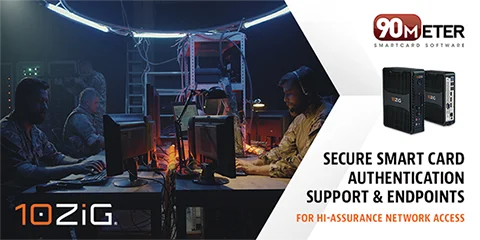
90Meter Works with 10ZiG for Secure Smart Card Authentication Support and Endpoints for Hi-Assurance Network Access
Last update: March 21, 2021
10ZiG® Technology expands its reach in the federal space with support for CAC and Hi-Assurance smartcard authentication in its firmware for 10ZiG® Zero Client endpoints
90Meter Software with 10ZiG Zero Client Endpoint
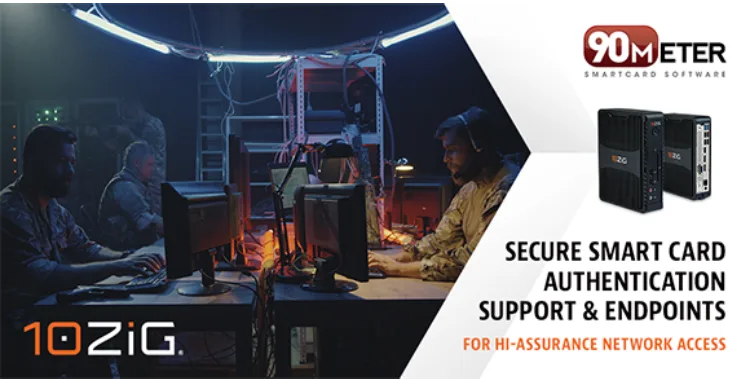
Known for the sole focus of Thin & Zero Client endpoint hardware and software for over 17 years now, 10ZiG® Technology has effectively supported every industry sector – including Federal – as part of their virtual desktop infrastructure (VDI) custom solutions. Adding to the 10ZiG Federal line-up of successes is the highly anticipated, latest addition of CAC and Hi-Assurance smartcard authentication for hi-side network access, built into NOS™ Zero Client firmware. With 10ZiG and 90meter together, secure authentication no longer has to mean slow. Smarter, faster smart card software combined with the power, speed, and performance of 10ZiG® endpoints, is technology that federal entities can really put into operation.
90meter software complies with applicable standards, including: FIPS 201-1, US DoD CAC Middleware Requirements, GlobalPlatform, PKCS 7-12, 2048-bit RSA, and Section 508. The PIV Minidriver, is Federal Information Processing Standard (FIPS) 201 certified middleware, meeting Personal Identity Verification (PIV) I & II standards and meets SP 800-73 for technical specifications to interface with the smart card to retrieve and use identity credentials.
90Meter General Manager on Integration with 10ZiG
Matthew Vanselow, 90meter Inc General Manager, “Delivering solutions to the U.S. government in order to achieve their mission is our top focus at 90meter. The integration of 90meter’s SCM and 10ZiG Thin Clients ensures a secure, smooth, and easy-to-use endpoint solution for those protecting our national security.
Become a 10ZiG Ready Partner
Apply to become a 10ZiG Ready Partner HERE and let’s start creating great stories together.
Get Your 30-DayFree Demo
Experience the power of 10ZiG risk-free. No credit card. No obligation.