Can I PXE boot to the 10ZiG Manager using the wireless connection?

No, PXE is part of BIOS and the BIOS only knows about the built in NIC.

Where can I find a manual for the 10ZiG Manager?

The 10ZiG Manager HELP is the full manual.

If my thin clients are located on network segments that are not local to the 10ZiG Manager server such as a VPN, WAN, or segmented VLAN, how can I PXE boot them to the manager?

Within the DHCP scope of each remote network segment, define the “Boot Server Host Name

How do I use the hotkeys in UltraVNC viewer on a Linux thin client through the 10ZiG Manager?

The 10ZiG Manager uses UltraVNC viewer for shadowing thin clients. This viewer provides various additional features like chat and file transfer. These features can be accessed via hot key sequences that begin with “Ctrl+Alt

What is the difference between the Clone System image – Deploy System Image and Backup and Restore?

An explanation of the Cloning/Deploying and Backup/Restore and their differences:

  1. Cloning is the process of creating a deployable Windows image.
    • The administrator initiates the clone from the Manager’s Thin Client view after selecting the source device.
    • For a WE10 device, the administrator is guided through a Sysprep wizard for additional customization.
    • The administrator is prompted for the name to which to save the image.
    • The source is set to PXE boot, and the Manager remotely initiates “Sysprep

How can I enable logging for the 10ZiG Manager server?

1. Right click on the 10ZiG Manager ICON in the notification area (lower right) and select Settings.
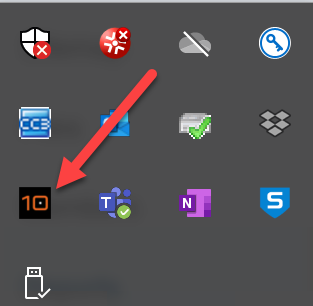
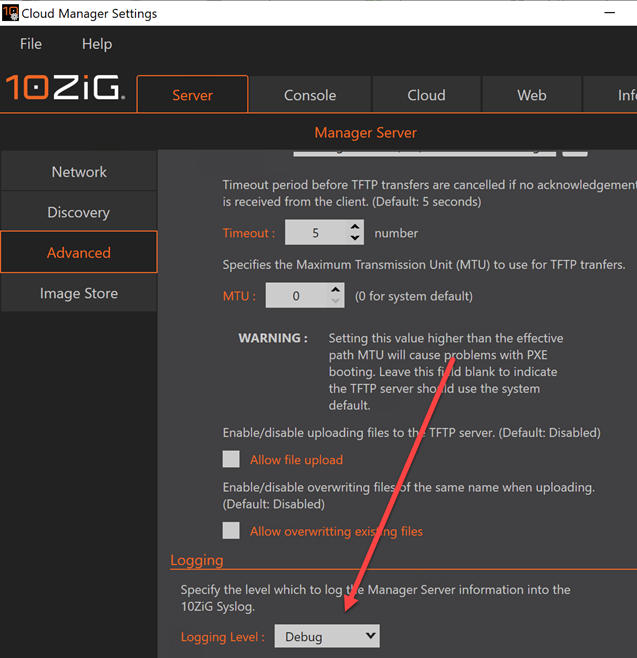
2. Go to the server tab and then Advanced on the left side and change the logging level at the bottom to debug and save settings. The manager should prompt you to you restart but if it does not, restart manually after this change.
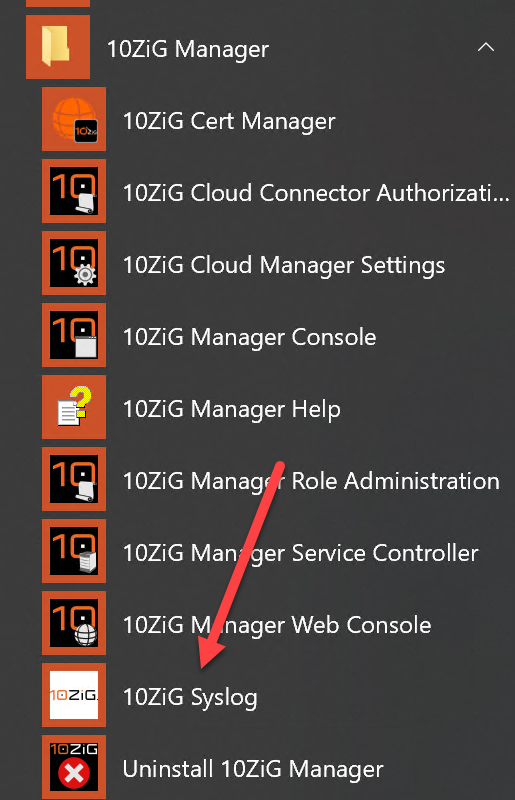
3. From the Windows Application Menu, select 10ZiG Syslog.
4. Double click on the log ICON in the notification tray.
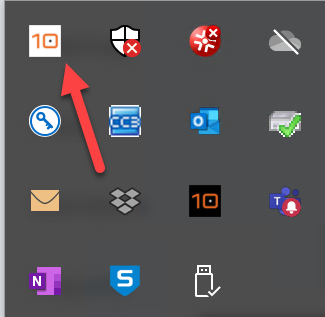
5. Then click on View Log
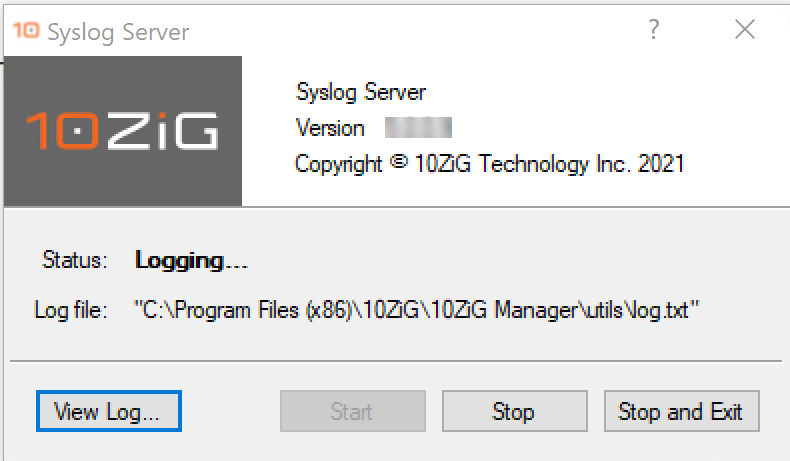
5. The image below is the log view. If you have email set up on this server/PC you can take the option to email the log file. Support techs will direct you where to send it.
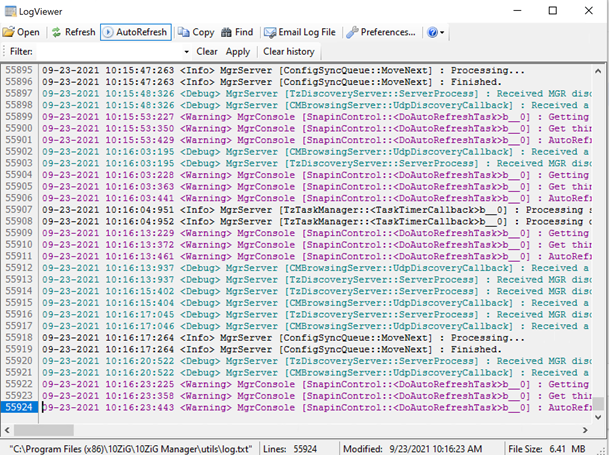
6. You can also grab the log file directly and attach it to an email to send to 10ZiG support. The path to the file is at the bottom of the image above.

How do I update the firmware on a Linux thin client using the 10ZiG Manager?

Make certain the Image Store path is set in the 10ZiG Manager setup
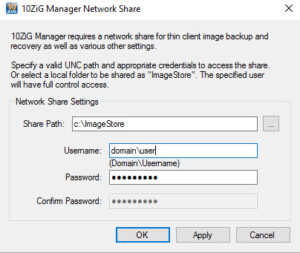
Copy the image file (.tar) to the image store folder.

If the thin client is on the network the 10ZiG Manager service is running it will displayed in the 10ZiG Manager console.

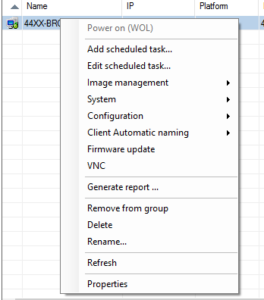
Right click on the thin client to be updated and select Firmware update.
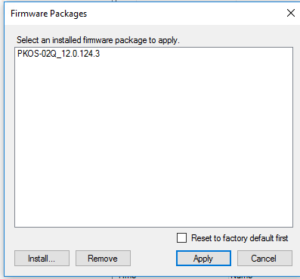
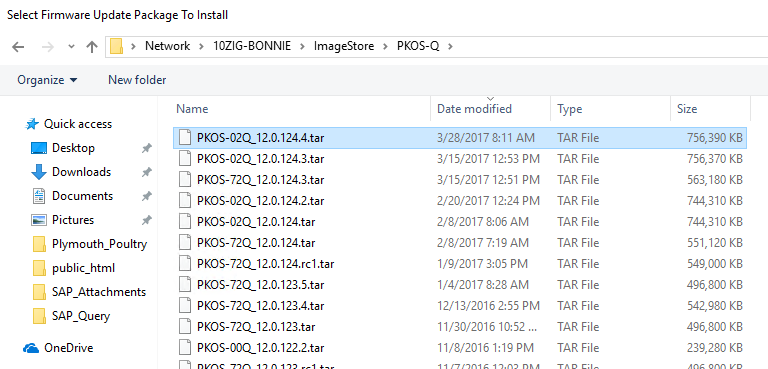
Select Install if you do not see the firmware you are looking to use to update the firmware. Highlight the firmware to install and select open. This process extracts the .tar into the 10ZiG Manager htdocs folder.
Once the package has been extracted, the firmware will be display as below:
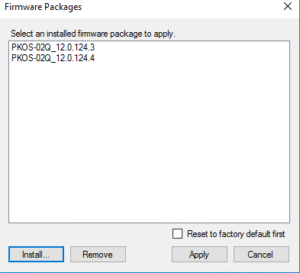
Highlight the package and select Apply.
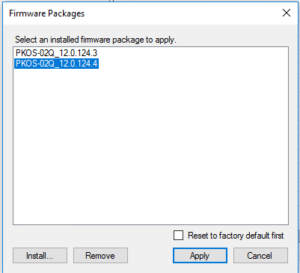
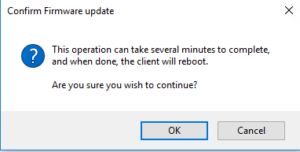
Select OK to continue with the firmware update.
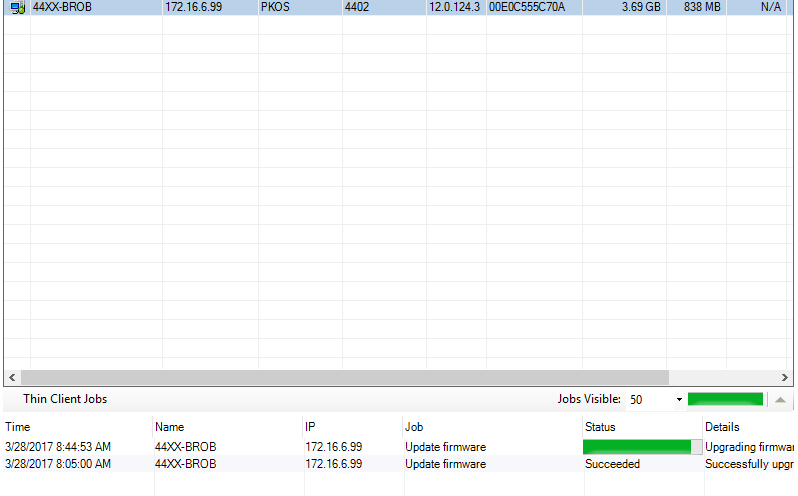
The update will show in the notification area at the bottom of the console.
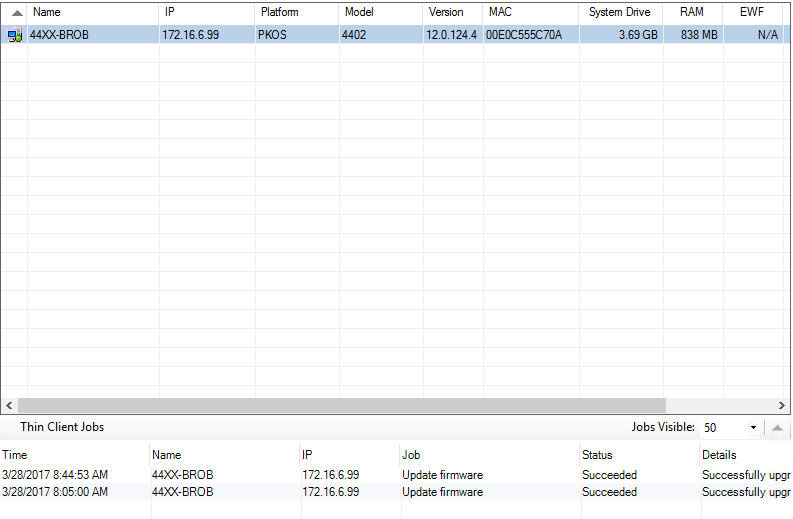
Once the firmware update is complete, the thin client will reboot. The 10ZiG Manager will now show the updated firmware.
 

After updating my firmware, can I apply my older template?

No, always create a new template from the updated firmware. Often times parameters may have changed in the new firmware that could become corrupt by applying an older template.

How can I copy/move an existing 10ZiG Manager database to another computer?

How can I query the 10ZiG Manager DNS UDP SRV record from a PeakOS / RepurpOS / NOS client?

Open a bash shell using CTRL + ALT + SHIFT + 0 (Do Not Use Numeric Keypad). Type ‘host -t SRV _tzmgr_discovery._udp.yourdomain.local’ – Where ‘yourdomain.local’ is the domain suffix assigned to the client via DHCP.

How can I add a DNS Service Location Record for the 10ZiG Manager server?

A Service (SRV) record is a Domain Name System (DNS) resource record that is used to identify computers that host specific services. Clients query for a specific service/protocol name within a specific domain to receive the associated server hostname and port number.

SRV records are added to the “Forward Lookup Zone” for the DNS domain with the name formatted as “_servicename._protocol.domain” e.g. “_tzmgr_discovery._udp.example.com”

With the 10ZiG Manager, our Linux v9 (9.9.x or later) and Windows (XTC Agent 2.0.1.3 or later) devices can query for the manager server location and automatically initiate registration.

The manager now has the capability to automatically register an SRV record with a local Microsoft DNS server, assuming the user has the appropriate privileges. However, if the automatic SRV record creation fails, use the following instructions to manually add the record.

A DNS Service Location record can be created to provide the host name of the computer and port on which the 10ZiG Manager server is located allowing thin clients to “check-in

Is it possible for the 10ZiG Manager to automatically retrieve the latest configuration before applying templates?

On the 10ZiG Manager Server PC, open regedit and navigate to Computer\HKEY_LOCAL_MACHINE\SOFTWARE\WOW6432Node\10ZiG\MgrService. Create a new Reg DWORD value under MgrService key, with Name ‘AlwaysRetrieveBeforeTemplate’ and Value Data ‘1’. Restart the 10ZiG Manager Service to apply change.

Become a 10ZiG Ready Partner

Apply to become a 10ZiG Ready Partner HERE and let’s start creating great stories together.

Get Your 30-Day
Free Demo

Experience the power of 10ZiG risk-free. No credit card. No obligation.