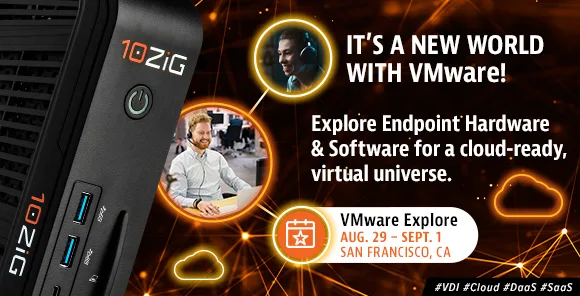
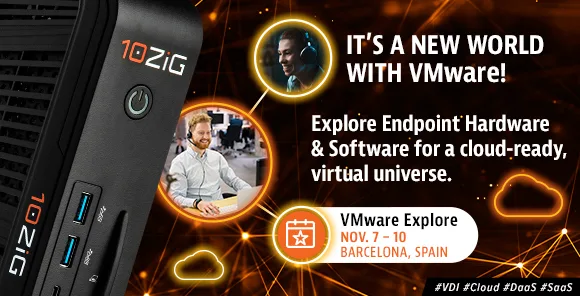
VMware Explore, formerly VMworld, is back and 10ZiG will be there!
Last update: August 2, 2022
VMware Explore 2022 – United States
New endpoints, software upgrades, bags and swag, and (5) $500 Visa Gift Cards raffle for gas and groceries! Who wouldn’t love that? 10ZiG makes your virtual universe a reality, so come and explore! > REGISTER HERE
VMware Explore 2022 – Europe
The 10ZiG EMEA crew is more than excited to see you in Barcelona this coming November. All the endpoint support you need for VDI, Cloud, DaaS, SaaS and more, will be found at our booth! > REGISTER HERE
What Some Endpoint Providers Don't Want You to Know and Why
Last update: July 20, 2022
Of course, while you most certainly can rely on Thin & Zero Client providers out there with your VDI environment and any related projects or upgrades, there are some things you may not know (and that they might not want you to know) before shaking hands in contractual agreements. The good news is that we know what they are, and what to look for!
Charging for Software:
They may not tell you up front, so please be aware that some Thin & Zero Client providers charge for their endpoint management software – whether in or out of the Cloud – and may have add-on costs. You don’t want to get caught up with number of licenses and users when there are providers out there who will charge you absolutely nothing at all for any of it.
Charging for Hardware Maintenance:
Hard to imagine but, be sure to ask if they do or plan to start charging for hardware maintenance from the beginning, on day one of purchase – instead of including annual maintenance at no charge for up to several years. These types of hidden charges are something that some endpoint providers may not want to bring out in the open as they should.
End-of-Life Products & Offers:
Don’t let some endpoint providers persuade you into purchasing devices that they plan to soon retire, leaving you with end-of-life hardware and having to purchase again, sooner rather than later. And to that point, avoid providers who are breaking away from no-cost endpoint management consoles, which equates to the potential ending of free software offers.
Slow Firmware & Endpoint Management Updates:
With VDI and Digital Workspace environments evolving at a fast pace, firmware updates with respect to protocol releases and market demands for endpoint management software enhancements, can’t be slow to the finish line. An endpoint device can only be as good as the firmware it supports and latest software it uses.
Non-Certified:
Are endpoint devices going through Certifications with VMware, Citrix, and the like? A big tip here is to check and see if a device’s characteristics lines up with a hardware compatibility list. Everything should be up front and spelled out for you. Best not to find out later that your dozens of new Thin Clients, for example, won’t sync up.
One-Fits-All Product:
Guaranteed, your environment is not like others. Customer-driven solutions and making devices fit into your environment (not the other way around) is one of the best confidences we can mention. Devices customized for what you need – like integration using optimized peripherals, Windows customization in adding and removing programs, installing drivers, image optimizations, and more – is what you want.
Weak Product Warranties:
What some providers might not want you to know is that they’re not going to send you a replacement device while you’re shipping back your device for repair or even return. Certainly, that is something you’ll want to know. “Advanced Return Warranties” is the way to go with any Thin or Zero Client hardware device. Business can’t wait, so why should you?
Lack of Tech Support:
Not so much a secret, as a tip – one of the biggest tips. Available, friendly, quick-to-respond, local-to-you Tech Support who won’t stop until they’ve found a solution. Where is a provider’s Tech Support and what are their qualifications? With some providers (not all), you can’t even get on the phone with their Technicians or a returned email without a long wait.
Disappearing Sales Support:
Just like any new relationship, you’d hope that they’re in it for the long haul. Often customers are courted by Sales Reps for endpoint hardware and software and then ditched once the deal has closed. Surely, that’s something no one is bound to tell you when sealing the deal. Understand that some endpoint providers will do this, so find one who won’t – they’re out there.
Outsourced R&D:
Research and Development (R&D;) is best when it is in-house – not outsourced. Can you imagine finding out that they’re not? The connection between customer to provider and provider to R&D; helps with that quick response time to updates that we mentioned above. R&D; that’s not outsourced is part of the provider’s family and very accessible, not third party.
We Have No Secrets at 10ZiG Technology:
Whether you’re a CIO, IT Manager, Network Administrator, etc. in the private or public sector, 10ZiG is the brand to rely on for your VDI endpoints when it comes to moving your local computing environment to a virtualized desktop infrastructure. 10ZiG Technology is a world-market leader in Thin Client & Zero Client endpoint devices for virtual desktop infrastructure. Planning to transition into Virtual Desktop Infrastructure with 10ZiG Thin & Zero Clients sets your future up for energy savings, cost savings, and top performance.
10ZiG provides leading Intel and AMD based Dual and Quad Core Thin & Zero Clients for VMware Blast Extreme & PCoIP, Citrix (HDX, HDX Premium, HDX 3D Pro), and Microsoft environments, in addition to the providing the widest range of Teradici PCoIP Zero Clients on the market. 10ZiG offers free, no-obligation demo devices, Technical Support teams based in the U.S. and Europe, Advance Exchange Warranty, and provides “The 10ZiG Manager™” endpoint management software with Cloud Enablement, completely free with unlimited user licenses supported.
Thin Client Computers – A Lesson in Virtual Endpoints For Education
Last update: July 11, 2022
Technology may touch every corner of today’s education industry, but that doesn’t mean it should be the centerpiece. The best technology is one that gets out of the way so that Teachers can do their jobs and provide Students with quality instruction. Of course, especially since the pandemic established the precedent for fully remote learning, the computer will remain as necessary for education as the #2 pencil once was. Equipping Students and staff with technology is critical, yet doing so in a way that’s secure, reliable, and within budget can be a major headache. Many school districts and higher education institutions turn to Thin Client Computers instead of standard CPUs (fat PCs). These stripped-down PCs are just strong enough to connect to a main, centralized computer, which provides the power to run a desktop. So, how can the education industry benefit from these Thin Client Computers? To show you the advantages of Thin and Zero Client Computers for education, we’re going to break down how they benefit the key stakeholders in education. These are some of the ways Thin Client Computers benefit education for IT Admins, Teachers, and Students.
Thin Client Computers – IT Admins
At the top of the list for most schools is affordability. Education budgets are often frugal, and superintendents, principals, and other Admins have to walk a tight line – meet all the needs of Teachers and Students, while also staying within budget. That’s why smart Admins are always looking for a way to do more with less. Thin Client Computers let you get the most out of your IT budget. Besides being substantially cheaper than fat PCs that each need expensive hardware to run their own systems, Thin Client Computers can save schools even more money by repurposing aging PCs into Thin Client Computers as a steppingstone to Thin Client Computer hardware purchase.
Thin Client Computers are reliable. On a normal PC, there’s lots of opportunities for things to break. Since a Thin Client Computer uses less hardware and fewer software applications, there’s substantially less room for error. This means that Students and staff will be able to use their computers when they need them. Also, Thin Client Computers are more environmentally friendly. They use substantially less electricity than normal computers, less hardware means a smaller carbon footprint (both from production and disposal of the electronics) and, being able to repurpose old PCs is textbook recycling. Thin Client Computers enable Administrators to meet environmental pledges and mandates, while also helping the planet!
IT Administrators in education love Thin Client Computers because it makes their lives easier. Instead of having to sit down at every computer to manage updates, set configurations, etc., they can take care of every Thin Client Computer at once from their central server data center. This means that updates will roll out all at once, and it eliminates the chance of missing a device. IT staff will have greater control over Students’ computers, including setting better controls and virus protection that is possible with traditional PCs. This lets them protect the school’s network, safeguard Student data, and provide a better computing experience for both Students and staff.
Thin Client Computers – Teachers
Thin Client Computers benefit Teachers by offering reliable performance. Most Teachers don’t need anything too fancy, yet they still very much need their computers to get their jobs done. When grades are due and their computer acts up, it can be frustrating to say the least. Thin Client Computers solve this problem. There’s also nothing complicated about them, and they offer a familiar user experience that is easy to pick up. For Teachers who do need access to more computing resources, such as those who teach graphic design or higher education professors who need to run compute intensive workloads like scientific simulations, IT can allocate more resources from their centralized platform. Lastly, Thin Client Computers also create a more pleasant classroom environment by eliminating the hot-running hardware and noisy fans required to keep it cool. When you fill a computer lab with Thin Client Computers, you can wave goodbye to the hot, stuffy, and loud conditions of the past.
Thin Client Computers – Students
Students will also reap the benefits of Thin Client Computers for education. First off, they offer a persistent desktop environment that the Student can access from any device on campus, or, if configured to do so, even when they’re at home. The days of losing a report due to misplacing a thumb drive are over. Plus, this persistence gives Students a chance to personalize their desktop. Especially for higher education or programs that require more high-powered hardware specs, Thin Client Computers offer an economically viable path to offering Students access to high performance computing. Instead of buying Students expensive computers or even equipping a lab with shared PCs, the school can simply enable Students to sometimes securely access a greater portion of the shared resources on the centralized host server.
Thin Client Computers for Education – why 10ZiG?
Thin Client Computers are the best-in-class solution for meeting the IT demands of today’s Educators. Now more than ever, IT Professionals rely on their computer set-ups at school, at home, or anywhere remote. As a longtime leader in Thin & Zero Client Technology for Education, 10ZiG is very familiar with the challenges that IT Departments in school environments face when it comes to virtual desktop infrastructure (VDI) and related hardware, software, and budget issues. Teachers and Students experience more focus, more productivity, and more learning with VDI and 10ZiG, whether in a traditional or remote classroom. For a full overview on what exactly a Thin Client Computer is – click HERE.
10ZiG Thin Client Computers for Education – Free Demo
10ZiG is a leading Thin & Zero Client endpoint hardware and software provider for VDI, Cloud, DaaS, and SaaS. We provide leading Intel and AMD based, Dual and Quad Core Thin & Zero Clients for VMware, Citrix, Microsoft, and other environments. 10ZiG offers free, no-obligation demo devices, best-in-industry Technical Support teams based in the U.S. and Europe, and provides for FREE, Cloud-enabled “The 10ZiG Manager™
The Power of Audio Meets the Power of Virtual Desktops: EPOS & 10ZiG Announce New Partnership
Last update: June 29, 2022
Press Release
EPOS headsets and 10ZiG devices partner to set up global end users and IT professionals with premier use-case solutions with powerful audio and VDI.
PHOENIX, ARIZONA – EPOS, a global premium brand designing high-end audio solutions for better communication and collaboration, and 10ZiG, a leading provider of virtual desktop endpoint hardware and software, have partnered to deliver EPOS audio devices and management software optimized for 10ZiG Windows 10 IoT Thin Client endpoint devices.
The recent global pandemic set off the largest work-from-home (WFH) transition in the history of doing business and is still shaping how we work today. It only made sense that EPOS and 10ZiG joined forces, so the world could leverage hardware and software for remote and hybrid virtual desktop setups. The EPOS & 10ZiG partnership developed as a perfect duo for virtual desktop infrastructure (VDI) and audio communication, in both office and remote setup solutions. Having the most advanced tools in place, including supportive remote Thin Client endpoints and audio headsets makes for an easier and better user experience for unified communications and related platforms.
EPOS Connect VDI is the client application that enables various asset management features to allow IT managers to administer EPOS audio devices across the entire organization through the intuitive EPOS Manager UI. EPOS Manager is a powerful on-premises or cloud-based IT management solution for managing, updating, and configuring an organization’s EPOS headsets and speaker phones from any location.
From entry-level to high-demand users, 10ZiG Windows 10 IoT Thin Client device models 4610q, 6010q, and 6110, comply and work seamlessly with EPOS headsets and speakerphones, specifically the ADAPT 660. With the EPOS & 10ZiG partnership, businesses can maximize focus and productivity anywhere with the certified combined solutions.
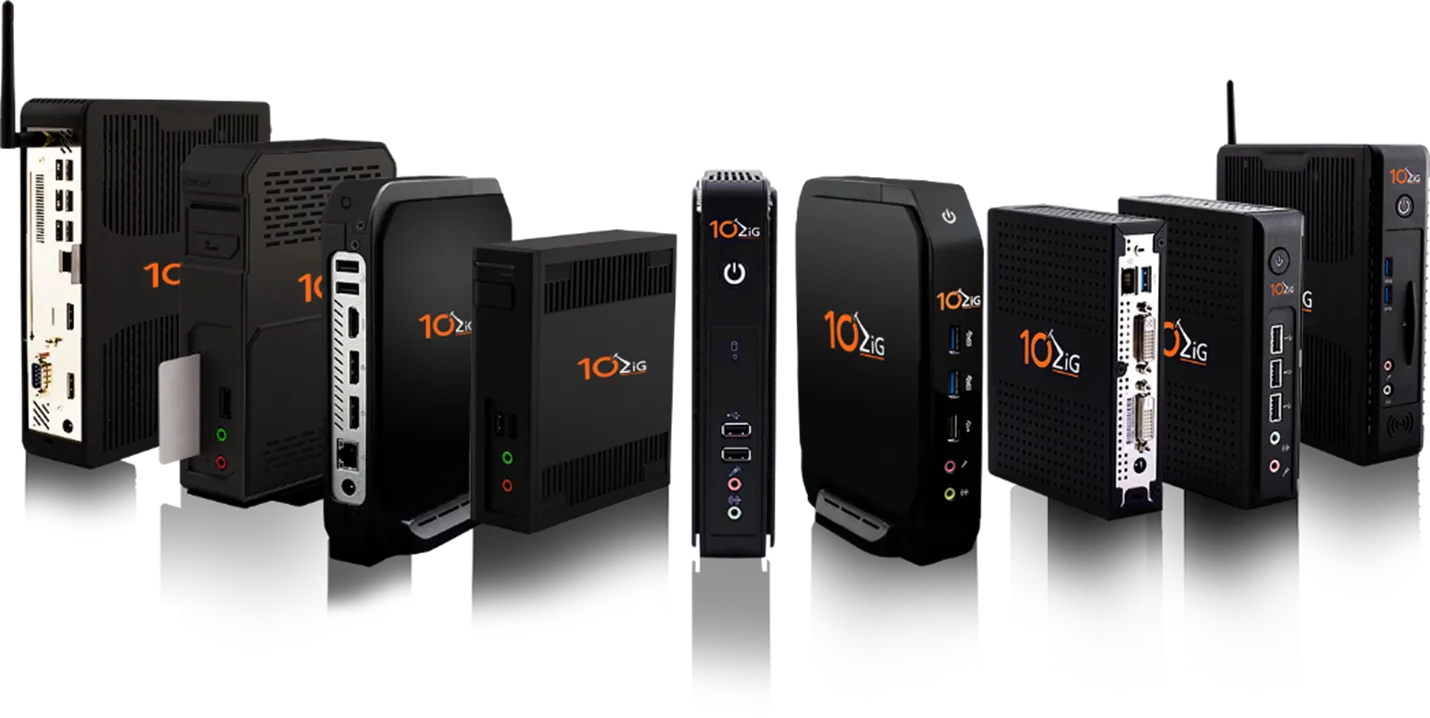
The EPOS product lines offer a range of outstanding features like superb call clarity, stereo sound, adaptive ANC, and a unique UC optimized solution with machine learning enhanced microphone performance. The 10ZiG product lines are a range of x86-based Thin & Zero Client endpoints that include a wide array of hardware options, such as varying display connectivity, Fiber options, free centralized management via the 10ZiG Manager™, and more.
Photo Caption
EPOS headsets and 10ZiG devices partner to set up global end users and IT professionals with premier use-case solutions with powerful audio and VDI.
About EPOS
Established upon the former successful joint venture between audio specialist Sennheiser and the world-leading hearing technology group Demant, EPOS designs, manufactures and sells pioneering high-end audio and video solutions for business professionals and serious gamers. Crafted with advanced engineering and pioneering technologies, EPOS offers uncompromised audio and video connectivity that enable business professionals to better communicate and collaborate – anytime, anywhere and on any device. EPOS audio is reliable, easy-to-use and designed for ultimate comfort. Owned by the Demant Group and with headquarters in Copenhagen, Denmark, EPOS builds on more than 115 years’ audio expertise and operates in a global market with offices and partners in more than 60 countries.
10ZiG Technology provides virtual desktop Thin & Zero Client endpoints and centralized management software (10ZiG Manager™) for VDI, DaaS, SaaS, and Cloud-based workspaces. A front-runner in many VDI innovations including leading audio & video communication support, 10ZiG works to make product fit into the customer’s computing environment, not the other way around.In office or at home, 10ZiG virtual desktop technology maximizes traditional, remote, or hybrid-working setups.
Contact 10ZiG
To learn more about 10ZiG, or to arrange for a free Thin or Zero Client demonstration device, please contact 10ZiG below.
Duis suscipit ornare leo sed tincidunt. Nullam sodales vitae turpis eu placerat. Maecenas bibendum arcu sed feugiat sodales. Fusce ullamcorper nisi felis, quis feugiat ante bibendum in. Donec tempor mi risus. Nulla facilisi. Pellentesque dui justo, eleifend ut augue vitae, maximus viverra ligula. Nulla facilisi.
Morbi eu augue et diam euismod consectetur malesuada in mauris. Phasellus lacinia neque ut diam feugiat rutrum. Aliquam ac tellus dolor. In condimentum laoreet sem, a volutpat libero bibendum vitae. Maecenas lacus massa, suscipit in enim a, luctus suscipit elit. Curabitur nisi mi, aliquet ac massa sit amet, elementum condimentum nibh. Morbi et sagittis sapien. Vestibulum nulla erat, ullamcorper eget ornare non, tincidunt sed urna. Duis rhoncus id nisl non consectetur. Nunc pellentesque nunc a nibh fringilla, ut blandit lorem sollicitudin. Proin sodales in mauris ut pretium. Maecenas nec sem eget justo ornare cursus.
Duis suscipit ornare leo sed tincidunt. Nullam sodales vitae turpis eu placerat. Maecenas bibendum arcu sed feugiat sodales. Fusce ullamcorper nisi felis, quis feugiat ante bibendum in. Donec tempor mi risus. Nulla facilisi. Pellentesque dui justo, eleifend ut augue vitae, maximus viverra ligula. Nulla facilisi.
Morbi eu augue et diam euismod consectetur malesuada in mauris. Phasellus lacinia neque ut diam feugiat rutrum. Aliquam ac tellus dolor. In condimentum laoreet sem, a volutpat libero bibendum vitae. Maecenas lacus massa, suscipit in enim a, luctus suscipit elit. Curabitur nisi mi, aliquet ac massa sit amet, elementum condimentum nibh. Morbi et sagittis sapien. Vestibulum nulla erat, ullamcorper eget ornare non, tincidunt sed urna. Duis rhoncus id nisl non consectetur. Nunc pellentesque nunc a nibh fringilla, ut blandit lorem sollicitudin. Proin sodales in mauris ut pretium. Maecenas nec sem eget justo ornare cursus.
Duis suscipit ornare leo sed tincidunt. Nullam sodales vitae turpis eu placerat. Maecenas bibendum arcu sed feugiat sodales. Fusce ullamcorper nisi felis, quis feugiat ante bibendum in. Donec tempor mi risus. Nulla facilisi. Pellentesque dui justo, eleifend ut augue vitae, maximus viverra ligula. Nulla facilisi.
Morbi eu augue et diam euismod consectetur malesuada in mauris. Phasellus lacinia neque ut diam feugiat rutrum. Aliquam ac tellus dolor. In condimentum laoreet sem, a volutpat libero bibendum vitae. Maecenas lacus massa, suscipit in enim a, luctus suscipit elit. Curabitur nisi mi, aliquet ac massa sit amet, elementum condimentum nibh. Morbi et sagittis sapien. Vestibulum nulla erat, ullamcorper eget ornare non, tincidunt sed urna. Duis rhoncus id nisl non consectetur. Nunc pellentesque nunc a nibh fringilla, ut blandit lorem sollicitudin. Proin sodales in mauris ut pretium. Maecenas nec sem eget justo ornare cursus.
Why You Should Go Thin with Windows Instead of “PC-ing!
Last update: May 23, 2022
10ZiG Windows 10 IoT Thin Client versus Windows 10 PC
Choosing a proper Windows-based endpoint device for your computing environment might seem complicated with various other options out there. You might even think to just continue using your aging PCs to connect with, instead of considering a properly devised Thin Client endpoint – but, think again! You might actually want to invest in purpose-built Windows 10 IoT Thin Client devices when building or expanding your virtual desktop infrastructure (VDI) solution and here are some reasons why…
Inclusive OS License – Including Affordable Hardware
The general cost savings comparing a Thin Client to a fat PC comes in many ways, from hardware to energy to IT support. Device affordability alone can be substantial when switching from traditional PCs to Thin Clients, saving hundreds of dollars per end user unit. The licensing of the operating system installed on a device can be an important factor when comparing a full Windows 10 license to a Windows IoT (included on Thin Clients). Windows 10 IoT Enterprise operating system is licensed to specific physical devices, which means each device can be reused with its license included, as the OS license and device come as one.
Unified Communications (UC) – Great Compatibility
Collaboration is huge for VDI end users, enabling them to work from anywhere and have virtual conversations from all over the world. With a Windows 10 IoT based Thin Client, you can be assured that it is stocked full of the latest Unified Communications tools with optimization to ensure smooth and jitter-free audio and video conversations. Zoom, Microsoft Teams, and Cisco WebEx are just a few platforms on which Windows 10 IoT Thin Clients can deliver with the latest plugins.
Improved OS Stability – Receive Only Quality and Security Updates
Specialized systems, such as those that control medical equipment, point-of-sale systems, and ATMs, often require longer servicing options because of their purpose. These devices typically perform a single important task and don’t really need feature updates as frequently as other devices might. For these fixed-purpose devices, a long-term servicing channel is recommended since it’s more important that these devices be kept as stable and secure as possible, as opposed to them being up-to-date with UI changes.
Lighter OS Footprint Offering – Strip Out the Bloatware
The Long Terms Service Channel (LTSC) model prevents Windows 10 IoT Enterprise LTSC devices from receiving the usual feature updates and provides only quality updates to ensure that device security stays up-to-date. With this in mind, quality updates are still immediately available to Windows 10 IoT Enterprise LTSC Clients, but you can choose to defer them by using a servicing tool.
Increased Security – Feature Unified Write Filter
The available Unified Write Filter (UWF) can also protect the Thin Client OS by prohibiting write actions to its local storage unless you, the Administrator, specifically allow it. To apply any critical security or driver patches, simply put the device in service mode. Reboot, apply patches, and after another reboot – you have the UWF re-enabled.
UWF Wizard allows greater customization of your Thin Clients by giving your Administrators the ability to create a specific shell to launch a user’s desktop and run a single application at login. End users only get access to what they need and nothing more. It also gives system engineers and administrators a more controlled and secure desktop environment to set up and manage. This also helps to do away with antivirus requirements as risk is more lessened.
Less Support Calls – Custom Shell Mode
One of the biggest benefits of running your Windows 10 IoT device in a custom shell manner is that your desktop support team only looks after the OS and your VDI connection applications. They won’t have to combat ad-hoc, typical, everyday support calls where users have access to add, delete, or uninstall products. This is common with a standard Windows PC and often results in the desktop environment becoming unstable and, in some cases, unusable. This can’t happen with a Thin Client running in custom shell mode. The device just boots up, logs in automatically and launches your desktop VDI application, efficient, quick, and clean.
More Control – UWF Wizard Configuration
The UWF Wizard will also allow you to configure welcome, lock, and boot screens and a whole host of keyboard hotkeys and shortcuts. You can, for example, remove the power icon from the welcome and lock screen. This is useful if you want to prevent the user from powering off the unit if it’s performing as a public kiosk or digital signage product, and the physical power switch is out of reach
Why 10ZiG Endpoints & The (FREE) 10ZiG Manager™?
One of the most outstanding advantages of Windows 10 IoT Thin Clients over Windows 10PCs is when it comes to management. 10ZiG’s centralized management utility, The 10ZiG Manager™, is designed solely and remotely control and deploy Thin & Zero Client endpoints. Unlike PCs, 10ZiG Windows Thin Clients can be virtually and centrally managed and troubleshooted from one location, instead of IT having to try to do so by physically visiting each desktop workstation. From imaging, re-imaging, power actions, remote control, updates, machine configuration, and more, it does it all – management to deployment, and even reporting the condition and status of your devices. If you already utilize SCCM and/or Microsoft Endpoint Manager (Intune) environments, Windows 10 IoT Thin Clients can be fully managed using those platforms, too.
At 10ZiG, our Windows 10 IoT Thin Clients can be preloaded with a custom image, FREE of charge, before shipping. This customized build and production service makes for a seamless out-of-the-box type of deployment, ridding the setup time of a legacy PC, and cancelling out the need for multiple destinations for individual configuration. Related shipping and logistics for configuration become alleviated. And, in today’s ongoing pandemic-affected computing work environments, this is more helpful and really necessary than ever, as we continue to embrace flexible work set ups – home, office, and combinations of both. The choice that makes the most sense for VDI endpoints over PCs is 10ZiG Windows-based Thin Clients. If you want a small form-factor device, running a familiar but lean and secure build of Windows, that can be centrally managed at a fraction of the cost compared to legacy PCs – then yes, the choice is obvious.
About 10ZiG
10ZiG is a leading Thin & Zero Client endpoint hardware and software provider for VDI, Cloud, DaaS, and SaaS. We provide leading Intel and AMD based, Dual and Quad Core Thin & Zero Clients for VMware, Citrix, Microsoft, and other environments. 10ZiG offers free, no-obligation demo devices, best-in-industry Technical Support teams based in the U.S. and Europe, and provides for FREE, Cloud-enabled “The 10ZiG Manager™
10ZiG for Back To School: Stock, Affordability, and Tech Support
Now more than ever, IT Professionals rely on their computer set-ups at school, at home, or anywhere remote. Just as business professionals need to do business, teachers need to teach, and students need to learn – not spend time having or troubleshooting computer and communication problems. As a longtime leader in Thin & Zero Client Technology for Education, 10ZiG is very familiar with the challenges that IT Departments in school environments face when it comes to virtual desktop infrastructure (VDI) and related hardware, software, and budget issues. Teachers and Students experience more focus, more productivity, and more learning with VDI and 10ZiG, whether in a traditional or remote classroom.
Affordable VDI Solution – In Classroom or Remote
Education needs affordable, reliable VDI classroom experiences and 10ZiG education endpoints with The 10ZiG ManagerTM are exactly that – directly in school or remote. They are IT Admins’ choice over fat PCs and other outdated devices – even other Thin or Zero Clients out there lacking features that won’t support today’s education communication demands. With 10ZiG Thin & Zero Client Endpoints and VDI combined, remote management is an affordable, easy, and reliable set-up. Deployment, configuration, maintenance, and upgrades can be achieved and even automated using The 10ZiG Manager centralized management software – whether traditional VDI, or Cloud, all supportive of DaaS and SaaS services. As teachers, there are fewer issues to contend with, and as IT Professionals, you are in control of troubleshooting and monitoring any issues that may occur without having to leave your own location. Most importantly as students, the learning process improves!
Communications VDI Solution – Any Class Situation
As part of today’s at-home or hybrid school scenarios, many of us out there are still continuing to experience difficulty setting up and maintaining webcam and audio connections with video communications no matter what tool – Zoom, Microsoft Teams, etc, Here’s how 10ZiG can help:
10ZiG utilizes the Client directly from our technology partners (like Citrix and VMware), allowing the inclusion of their features designed to enhance the performance of video (webcams) & audio (headsets)
Instead of typical USB redirection, these Partners utilize RTAV (for VMware) or RTME (for Citrix)
10ZiG hardware supports video conferencing solutions for VMware Blast Extreme with RTAV, Citrix with RTME, Microsoft Teams addon, and more
10ZiG is a leading Thin & Zero Client endpoint hardware and software provider for VDI, Cloud, DaaS, and SaaS. We provide leading Intel and AMD based, Dual and Quad Core Thin & Zero Clients for VMware, Citrix, Microsoft, and other environments. 10ZiG offers free, no-obligation demo devices, best-in-industry Technical Support teams based in the U.S. and Europe, and provides for FREE, Cloud-enabled “The 10ZiG Manager™
Benefits of VDI That Can Make A Major Difference in Your Computing Environment
Last update: April 27, 2022
Virtual Desktop Infrastructure (VDI) is all about moving desktop management from a local environment to a virtualized one. It is an environment where desktop operating systems (OS) and applications are hosted within a virtual machine (VM) running on a centralized server (or, data center). Desktop images can be accessed by different types of devices such as desktops, laptops, Thin Clients, mobile devices, and more. Single images can be built and then deployed to each end user (i.e. endpoint, i.e. workstation) and then centrally managed for different operations, updates, and troubleshooting.
There are several benefits of VDI that stem from this type of computing environment that can profoundly improve the way you do business, so let’s review a few right now.
VDI Benefits: Why Virtual Desktops Are Something You Want To Know About
It is fairly common knowledge that PC desktops (often referred to as fat PCs) have inherent drawbacks with manageability, security, and resources in today’s modern computing environments that the benefits of VDI can truly help to remedy. What’s even more apparent these days is the way in which VDI and its benefits are expanding to offer these solutions for remote, at-home, or hybrid environments, as well as supporting Cloud, DaaS, and SaaS services.
VDI Benefits Affecting Environment
1 – Manageability:
Since VDI replaces PCs – deployment, management, and maintenance of replacement endpoints becomes much easier. Remember, endpoint devices can be laptops, Thin (or Zero) Clients, tablets, mobile devices, etc. Centralized management software is used to enable IT administrators to maintain devices in the network from one central server (data center) – meaning upgrades, application deployments, and virus control can be centrally managed, rather than being handled individually at endpoints/workstations.
2 – Flexibility:
The flexibility of endpoint maintenance is one of several VDI benefits to positively affect your computing environment. Routine upgrades, installations, and more, can be completed without user intervention whatsoever. This also does not disturb end users’ productivity. Desktops can easily be virtually created by copying images and files, and then swiftly deployed. End users are not tied to any particular hardware with VDI, so desktop fixes and new desktops can get them up and running in no time.
3 – Accessibility:
Due to BYOD and even more so the pandemic, workforces are being more mobile. The need or desire to work at home, along with more employers not worrying about if their employees are in an office (sitting right next to them) or across the world on another continent, accessibility is a key VDI benefit for these remote, long-distance, and/or mobile end users. With desktop virtualization, everything is managed and protected in one central location/center/server. IT Admins can better maintain security – by protecting files from improper downloading, mass virus updates, etc.
VDI Benefits Affecting People
4 – User Experience:
It can sometimes be hard to persuade standard PC users to consider a virtual desktop environment with all of its VDI benefits, but once they try it out – they adapt quickly. Other than a few login differentiations, front end (what the end user sees) desktop virtualization looks and feels just like a traditional desktop experience. When logging in, each user sees their personal desktop just as they normally would, up to and including preferred settings. What’s so cool is that the end user can now obtain this same desktop anywhere – regardless of hardware device.
5 – Increased Productivity:
Worker productivity goes up all the way around with VDI. From the IT side of things, one of the benefits of VDI here is that admin professionals can focus on other initiatives because the management and maintenance of all of their end users are centralized, and changes and upgrades are done in group updates – and the fact that they don’t have to physically touch the endpoint hardware for the device for set-up or troubleshooting offers them time to work on other projects. From the end user side of things, the same VDI benefit applies. If they have an endpoint issue, like a virus, or a sudden need for an upgrade, or say there was a system failure, they’re not waiting around with nothing to do until IT shows up. Instead, they are able to get back to work nearly ASAP!
6 – Security & Back-Up:
As mentioned before, data is completely centralized – it is more secure and more protected – because it is located in one location. This cuts down significantly on the chances of sharing viruses or downloading documents with sensitive materials by the wrong staff members. Plus, if the right procedures are in place, backing up data without the risk of losing any files can also be a VDI benefit – particularly when done on a regular basis.
VDI Benefits Affecting Savings
7 – Cost-Savings:
We’ve already mentioned some cost-saving benefits of VDI along the way, but just to review – VDI saves money mainly because it saves time, energy, and effort. Everything runs more efficiently and much more safely. Less IT resources are required, and the rate at which IT can troubleshoot, increases. Therefore, productivity all around goes up, while expenses go down. As a long-term investment, VDI endpoints can ultimately be less costly due to energy/electrical savings and the fact that the hardware, by nature, lasts longer than a typical PC and comes at a much lower pricepoint. Plus, with the right centralized management software, you’ll save money on unlimited user licenses.
8- Energy Savings:
The endpoint side of things with VDI can really make a difference with the right VDI benefits from the right endpoints. Traditional desktops (fat PCs) consume a lot of power – they generate a lot of heat and tend to also be noisy. Your energy (electrical) bills are larger due to the required power, and even cooling bills to keep the environment cold can be pricier. Endpoints with VDI can most assuredly and almost immediately result in potential savings on your energy bills.
9 – Resource Savings:
Remember that easy, centralized management we mentioned earlier? Just to reiterate, the resource benefits of VDI in a virtualized environment means that IT professionals no longer have to physically be on site at individual workstations to physically maintain and/or troubleshoot PCs. This not only frees up valuable resources like IT personnel, but it also frees up time and increases efficiency.
VDI Benefits Affecting Desktops
10 – Same Image:
With a virtualized desktop infrastructure, the same image can be utilized for desktops. The VDI benefit of being able to create and use the same image for several desktops is something that IT professionals rely on in their virtualized computing environment. Images can be created, enhanced, and deployed via the VDI’s centralized endpoint management software.
11 – Graphics:
Gone are the days when graphics and VDI are an issue. The graphic capabilities with VDI are better than ever and continuing to improve. From task user to power user, there is a platform and protocol out there with the right quality of image and video capabilities for today’s end users. There are also suitable endpoints, constantly improving, to meet the needs of these growing graphic demands.
12 – Access:
With VDI management, you can set and provide desktops (i.e. users) with different levels of granted security access. Users can access their desktop on any hardware device without concern of what they should or should not be getting into. And, another great benefit of VDI is that, if granted, all users on a network can access large files like CAD documents and video files.
Benefits of VDI With 10ZiG
10ZiG Technology has the perfect endpoint devices, plus endpoint management software, as part of your VDI virtual desktop solution. A world-market leader in Thin Client & Zero Client endpoint hardware, 10ZiG provides leading VDI benefits with Intel and AMD based Dual and Quad Core Thin Clients & Zero Clients for VMware Blast Extreme & PCoIP, Citrix, and Microsoft environments – in addition to the widest range of Teradici PCoIP Zero Clients on the market. 10ZiG offers FREE, no-obligation demo devices, local Technical Support teams based in the U.S. and Europe, and provides endpoint management software (The 10ZiG Manager™) with Cloud capabilities completely FREE with UNLIMITED licenses supported.
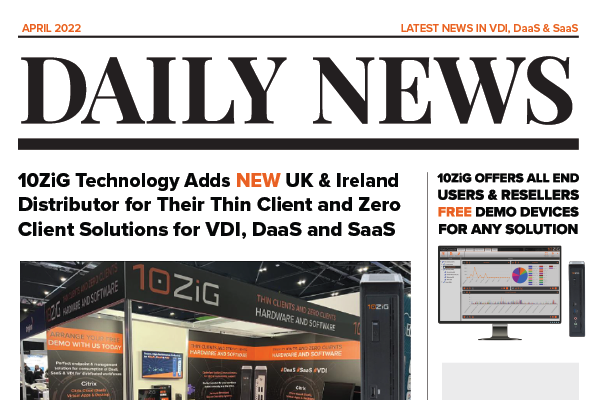
10ZiG Technology Adds New UK & Ireland Distributor for Their Thin Client and Zero Client Solutions for VDI, DaaS and SaaS
Last update: April 4, 2022
LEICESTER, UK – 10ZiG Technology are pleased to announce that they have entered into a distribution agreement with UX Distribution (UXD). With immediate effect, UXD are an active 10ZiG Accredited Distributor for their full range of Thin Client and Zero Client solutions for VDI, DaaS and SaaS in the UK & Ireland market.
UXD is a fast-growing digital workplace focused distributor with a wealth of knowledge around End User Computer (EUC), DaaS and SaaS marketplace and are perfectly positioned to onboard and support specialist reseller partners and MSPs who focus in this area. Their specialist digital workplace knowledge and years of industry experience will significantly help support and reinforce the 10ZiG message “We offer customer driven solutions, making our devices fit your customer’s environment and not the other way round.
Duis suscipit ornare leo sed tincidunt. Nullam sodales vitae turpis eu placerat. Maecenas bibendum arcu sed feugiat sodales. Fusce ullamcorper nisi felis, quis feugiat ante bibendum in. Donec tempor mi risus. Nulla facilisi. Pellentesque dui justo, eleifend ut augue vitae, maximus viverra ligula. Nulla facilisi.
Morbi eu augue et diam euismod consectetur malesuada in mauris. Phasellus lacinia neque ut diam feugiat rutrum. Aliquam ac tellus dolor. In condimentum laoreet sem, a volutpat libero bibendum vitae. Maecenas lacus massa, suscipit in enim a, luctus suscipit elit. Curabitur nisi mi, aliquet ac massa sit amet, elementum condimentum nibh. Morbi et sagittis sapien. Vestibulum nulla erat, ullamcorper eget ornare non, tincidunt sed urna. Duis rhoncus id nisl non consectetur. Nunc pellentesque nunc a nibh fringilla, ut blandit lorem sollicitudin. Proin sodales in mauris ut pretium. Maecenas nec sem eget justo ornare cursus.
Duis suscipit ornare leo sed tincidunt. Nullam sodales vitae turpis eu placerat. Maecenas bibendum arcu sed feugiat sodales. Fusce ullamcorper nisi felis, quis feugiat ante bibendum in. Donec tempor mi risus. Nulla facilisi. Pellentesque dui justo, eleifend ut augue vitae, maximus viverra ligula. Nulla facilisi.
Morbi eu augue et diam euismod consectetur malesuada in mauris. Phasellus lacinia neque ut diam feugiat rutrum. Aliquam ac tellus dolor. In condimentum laoreet sem, a volutpat libero bibendum vitae. Maecenas lacus massa, suscipit in enim a, luctus suscipit elit. Curabitur nisi mi, aliquet ac massa sit amet, elementum condimentum nibh. Morbi et sagittis sapien. Vestibulum nulla erat, ullamcorper eget ornare non, tincidunt sed urna. Duis rhoncus id nisl non consectetur. Nunc pellentesque nunc a nibh fringilla, ut blandit lorem sollicitudin. Proin sodales in mauris ut pretium. Maecenas nec sem eget justo ornare cursus.
Duis suscipit ornare leo sed tincidunt. Nullam sodales vitae turpis eu placerat. Maecenas bibendum arcu sed feugiat sodales. Fusce ullamcorper nisi felis, quis feugiat ante bibendum in. Donec tempor mi risus. Nulla facilisi. Pellentesque dui justo, eleifend ut augue vitae, maximus viverra ligula. Nulla facilisi.
Morbi eu augue et diam euismod consectetur malesuada in mauris. Phasellus lacinia neque ut diam feugiat rutrum. Aliquam ac tellus dolor. In condimentum laoreet sem, a volutpat libero bibendum vitae. Maecenas lacus massa, suscipit in enim a, luctus suscipit elit. Curabitur nisi mi, aliquet ac massa sit amet, elementum condimentum nibh. Morbi et sagittis sapien. Vestibulum nulla erat, ullamcorper eget ornare non, tincidunt sed urna. Duis rhoncus id nisl non consectetur. Nunc pellentesque nunc a nibh fringilla, ut blandit lorem sollicitudin. Proin sodales in mauris ut pretium. Maecenas nec sem eget justo ornare cursus.
Microsoft Joins 10ZiG For April Webinar – Windows 365 Cloud PC Managed by 10ZiG & Microsoft Endpoint Management
Last update: March 31, 2022
Press Release
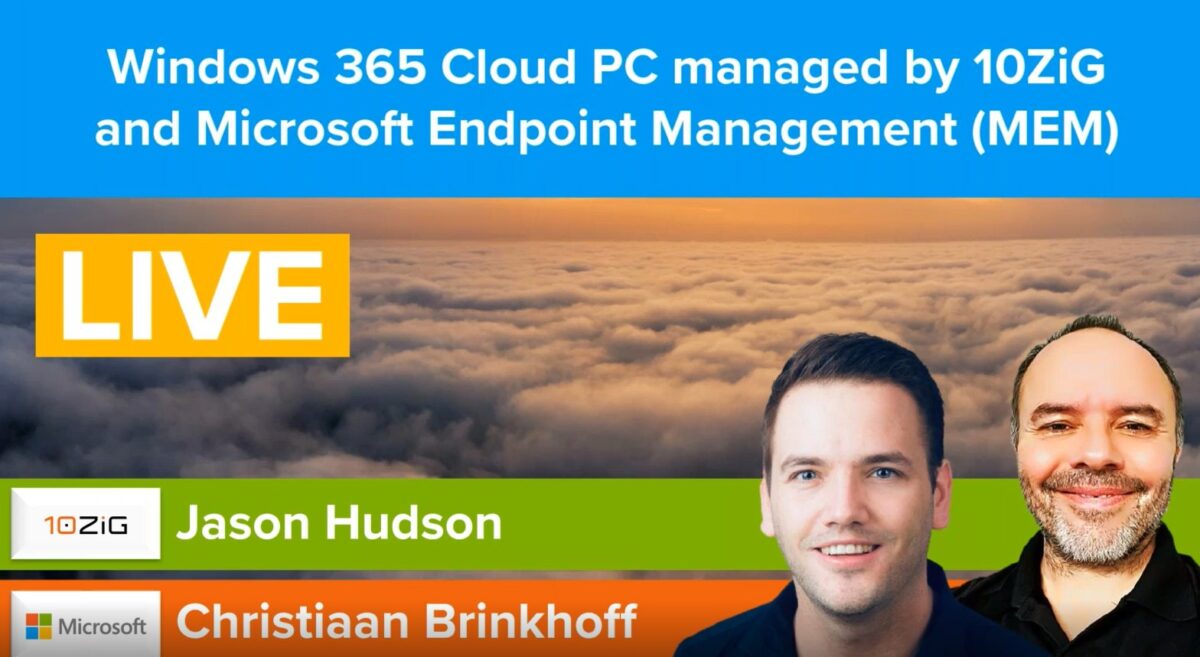
PHOENIX, US – 10ZiG is excited to welcome Christiaan Brinkhoff, Principal PM and Community Lead, Windows 365 at Microsoft to talk alongside our Technical Solutions Architect, Jason Hudson in a demo-focused live webinar this April 13th, 2022. In one short hour, Christaan and Jason will show you how to create the full Windows 365 Cloud PC experience delivered via 10ZiG Thin Clients, and also cover how to seamlessly manage them with Microsoft Endpoint Management (MEM).
What’s included in this can’t-miss event:
What is Windows 365 Cloud PC? Licensing & Roadmap
How to create device groups and how the enrollment process works at the 10ZiG endpoint.
How The 10ZiG Manager™ can also be used to create a similar outcome.
How to create ‘Configuration Profiles’ for your 10ZiG endpoints and how to fine tune and tweak them.
How to set-up ‘Kiosk Mode’ by harnessing the power of Microsoft’s Shell Launcher v.2. (Providing secure and manageable access to AVD or Windows 365 Cloud PC).
Setting up auto-subscription to your AVD and Windows 365 resources.
Creating a Windows 365 Cloud PC, including selection, configuration, and assigning a user to the license.
Setting up and demonstrating Microsoft Teams optimization inside the Cloud PC with audio and video redirecting to the 10ZiG 6010q Windows 10 IoT Thin Client.
You can reserve your spot HERE
About 10ZiG
10ZiG Technology is a world-market leader in Thin & Zero Client endpoints for Virtual Desktop Infrastructure (VDI), Cloud, DaaS, and SaaS. We provide leading Intel and AMD based Dual and Quad Core Thin & Zero Clients for Citrix, Citrix Cloud (DaaS), Citrix Virtual Apps and Desktops, Microsoft Azure Virtual Desktops (AVD), Microsoft RDP, Windows 365 (Cloud PC), VMware Horizon, VMware On-Premises, VMware Public/Private Cloud environments, and more. Free, no-obligation demo devices, US & EMEA based Tech Support, and the FREE “The 10ZiG Manager™
Duis suscipit ornare leo sed tincidunt. Nullam sodales vitae turpis eu placerat. Maecenas bibendum arcu sed feugiat sodales. Fusce ullamcorper nisi felis, quis feugiat ante bibendum in. Donec tempor mi risus. Nulla facilisi. Pellentesque dui justo, eleifend ut augue vitae, maximus viverra ligula. Nulla facilisi.
Morbi eu augue et diam euismod consectetur malesuada in mauris. Phasellus lacinia neque ut diam feugiat rutrum. Aliquam ac tellus dolor. In condimentum laoreet sem, a volutpat libero bibendum vitae. Maecenas lacus massa, suscipit in enim a, luctus suscipit elit. Curabitur nisi mi, aliquet ac massa sit amet, elementum condimentum nibh. Morbi et sagittis sapien. Vestibulum nulla erat, ullamcorper eget ornare non, tincidunt sed urna. Duis rhoncus id nisl non consectetur. Nunc pellentesque nunc a nibh fringilla, ut blandit lorem sollicitudin. Proin sodales in mauris ut pretium. Maecenas nec sem eget justo ornare cursus.
Duis suscipit ornare leo sed tincidunt. Nullam sodales vitae turpis eu placerat. Maecenas bibendum arcu sed feugiat sodales. Fusce ullamcorper nisi felis, quis feugiat ante bibendum in. Donec tempor mi risus. Nulla facilisi. Pellentesque dui justo, eleifend ut augue vitae, maximus viverra ligula. Nulla facilisi.
Morbi eu augue et diam euismod consectetur malesuada in mauris. Phasellus lacinia neque ut diam feugiat rutrum. Aliquam ac tellus dolor. In condimentum laoreet sem, a volutpat libero bibendum vitae. Maecenas lacus massa, suscipit in enim a, luctus suscipit elit. Curabitur nisi mi, aliquet ac massa sit amet, elementum condimentum nibh. Morbi et sagittis sapien. Vestibulum nulla erat, ullamcorper eget ornare non, tincidunt sed urna. Duis rhoncus id nisl non consectetur. Nunc pellentesque nunc a nibh fringilla, ut blandit lorem sollicitudin. Proin sodales in mauris ut pretium. Maecenas nec sem eget justo ornare cursus.
Duis suscipit ornare leo sed tincidunt. Nullam sodales vitae turpis eu placerat. Maecenas bibendum arcu sed feugiat sodales. Fusce ullamcorper nisi felis, quis feugiat ante bibendum in. Donec tempor mi risus. Nulla facilisi. Pellentesque dui justo, eleifend ut augue vitae, maximus viverra ligula. Nulla facilisi.
Morbi eu augue et diam euismod consectetur malesuada in mauris. Phasellus lacinia neque ut diam feugiat rutrum. Aliquam ac tellus dolor. In condimentum laoreet sem, a volutpat libero bibendum vitae. Maecenas lacus massa, suscipit in enim a, luctus suscipit elit. Curabitur nisi mi, aliquet ac massa sit amet, elementum condimentum nibh. Morbi et sagittis sapien. Vestibulum nulla erat, ullamcorper eget ornare non, tincidunt sed urna. Duis rhoncus id nisl non consectetur. Nunc pellentesque nunc a nibh fringilla, ut blandit lorem sollicitudin. Proin sodales in mauris ut pretium. Maecenas nec sem eget justo ornare cursus.
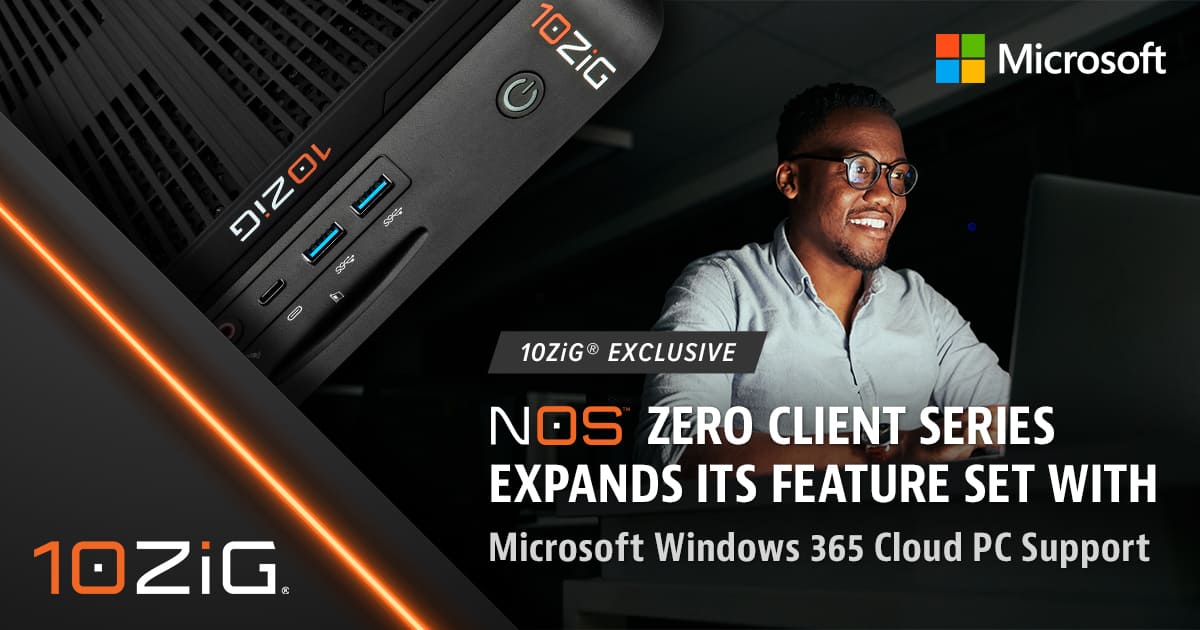
10ZiG® Exclusive NOS™ Zero Client Series Expands its Feature Set with Microsoft Windows 365 Cloud PC Support
Last update: February 1, 2022
10ZiG Technology’s NOS-M Zero Client Series has been powered to support capabilities for Microsoft Windows 365 Cloud PC across several endpoint devices
In case you don’t know 10ZiG, we pride ourselves on not just what we do, but how we do it. A leading provider in endpoints and management software for VDI and Cloud, 10ZiG recently enhanced its exclusive NOS™ line of Zero Clients for yet another Microsoft solution.
NOS™, or Next-to-No Operating System (OS), is the exclusive platform in which 10ZiG customizes its Zero Clients with extremely lightweight and extremely secure OS, for accessing Microsoft solutions – including AVD, RDS, and now Windows 365 Cloud PC. With the 10ZiG NOS™ platform, you experience lightning-fast boot-up times, very low power consumption, and simple and intuitive configuration locally or via Cloud with The 10ZiG Manager™ – our free endpoint management software. The NOS™ Zero Client lineup provides a solution for all user types, from simpler task workers to more demanding power users.
Andy Martin, 10ZiG COO, “It’s not enough that 10ZiG works diligently to leverage our NOS™ Zero Clients, or any of our Client endpoints for that matter, with the latest Microsoft Solutions and others – we know what we do is our best. It’s also how we do it. We deliver cutting-edge custom hardware that is supportive of all these advances, with people who care, and offerings that truly help IT professionals. We deliver great products, great technology, great service, and the 10ZiG guarantee – we customize our products to work in the customer’s computing environments, and not the other way around.
This latest 10ZiG Microsoft support feature enhances NOS™ Zero Clients 4648qm, 5948qm, 6048qm, and 6148m – task to knowledge to power workers – in that order. Microsoft Windows 365 Cloud PC securely streams the Windows experience to any 10ZiG endpoint device including personalized apps, data, and settings. It reduces security risks by storing information in the Cloud, and not on devices. It allows end users the flexibility to work where and when they choose to, with Windows in the Azure Cloud. For today’s remote and hybrid work situations, end users are enabled to access a full Windows PC virtually.
About 10ZiG
10ZiG Technology is a world-market leader in Thin & Zero Client endpoint devices for Virtual Desktop Infrastructure and Cloud. We provide leading Intel and AMD based Dual and Quad Core Thin & Zero Clients for VMware, Citrix, Microsoft, etc., environments, in addition to a full range of Teradici PCoIP Zero Clients. Free, no-obligation demo devices, US & EMEA based Tech Support, and the free “The 10ZiG Manager™” software solution with Cloud capabilities and unlimited user licenses, gives us our cutting edge.
10ZiG® Exclusive NOS™ Zero Client Series Expands its Feature Set with Microsoft Windows 365 Cloud PC Support
Last update: January 20, 2022
10ZiG Technology’s NOS-M Zero Client Series has been powered to support capabilities for Microsoft Windows 365 Cloud PC across several endpoint devices.
PHOENIX, ARIZONA – In case you don’t know 10ZiG, we pride ourselves on not just what we do, but how we do it. A leading provider in endpoints and management software for VDI and Cloud, 10ZiG recently enhanced its exclusive NOS™ line of Zero Clients for yet another Microsoft solution.
NOS™, or Next-to-No Operating System (OS), is the exclusive platform in which 10ZiG customizes its Zero Clients with extremely lightweight and extremely secure OS, for accessing Microsoft solutions – including AVD, RDS, and now Windows 365 Cloud PC. With the 10ZiG NOS™ platform, you experience lightning-fast boot-up times, very low power consumption, and simple and intuitive configuration locally or via Cloud with The 10ZiG Manager™ – our free endpoint management software. The NOS™ Zero Client lineup provides a solution for all user types, from simpler task workers to more demanding power users.
Andy Martin, 10ZiG COO, “It’s not enough that 10ZiG works diligently to leverage our NOS™ Zero Clients, or any of our Client endpoints for that matter, with the latest Microsoft Solutions and others – we know what we do is our best. It’s also how we do it. We deliver cutting-edge custom hardware that is supportive of all these advances, with people who care, and offerings that truly help IT professionals. We deliver great products, great technology, great service, and the 10ZiG guarantee – we customize our products to work in the customer’s computing environments, and not the other way around.
Duis suscipit ornare leo sed tincidunt. Nullam sodales vitae turpis eu placerat. Maecenas bibendum arcu sed feugiat sodales. Fusce ullamcorper nisi felis, quis feugiat ante bibendum in. Donec tempor mi risus. Nulla facilisi. Pellentesque dui justo, eleifend ut augue vitae, maximus viverra ligula. Nulla facilisi.
Morbi eu augue et diam euismod consectetur malesuada in mauris. Phasellus lacinia neque ut diam feugiat rutrum. Aliquam ac tellus dolor. In condimentum laoreet sem, a volutpat libero bibendum vitae. Maecenas lacus massa, suscipit in enim a, luctus suscipit elit. Curabitur nisi mi, aliquet ac massa sit amet, elementum condimentum nibh. Morbi et sagittis sapien. Vestibulum nulla erat, ullamcorper eget ornare non, tincidunt sed urna. Duis rhoncus id nisl non consectetur. Nunc pellentesque nunc a nibh fringilla, ut blandit lorem sollicitudin. Proin sodales in mauris ut pretium. Maecenas nec sem eget justo ornare cursus.
Duis suscipit ornare leo sed tincidunt. Nullam sodales vitae turpis eu placerat. Maecenas bibendum arcu sed feugiat sodales. Fusce ullamcorper nisi felis, quis feugiat ante bibendum in. Donec tempor mi risus. Nulla facilisi. Pellentesque dui justo, eleifend ut augue vitae, maximus viverra ligula. Nulla facilisi.
Morbi eu augue et diam euismod consectetur malesuada in mauris. Phasellus lacinia neque ut diam feugiat rutrum. Aliquam ac tellus dolor. In condimentum laoreet sem, a volutpat libero bibendum vitae. Maecenas lacus massa, suscipit in enim a, luctus suscipit elit. Curabitur nisi mi, aliquet ac massa sit amet, elementum condimentum nibh. Morbi et sagittis sapien. Vestibulum nulla erat, ullamcorper eget ornare non, tincidunt sed urna. Duis rhoncus id nisl non consectetur. Nunc pellentesque nunc a nibh fringilla, ut blandit lorem sollicitudin. Proin sodales in mauris ut pretium. Maecenas nec sem eget justo ornare cursus.
Duis suscipit ornare leo sed tincidunt. Nullam sodales vitae turpis eu placerat. Maecenas bibendum arcu sed feugiat sodales. Fusce ullamcorper nisi felis, quis feugiat ante bibendum in. Donec tempor mi risus. Nulla facilisi. Pellentesque dui justo, eleifend ut augue vitae, maximus viverra ligula. Nulla facilisi.
Morbi eu augue et diam euismod consectetur malesuada in mauris. Phasellus lacinia neque ut diam feugiat rutrum. Aliquam ac tellus dolor. In condimentum laoreet sem, a volutpat libero bibendum vitae. Maecenas lacus massa, suscipit in enim a, luctus suscipit elit. Curabitur nisi mi, aliquet ac massa sit amet, elementum condimentum nibh. Morbi et sagittis sapien. Vestibulum nulla erat, ullamcorper eget ornare non, tincidunt sed urna. Duis rhoncus id nisl non consectetur. Nunc pellentesque nunc a nibh fringilla, ut blandit lorem sollicitudin. Proin sodales in mauris ut pretium. Maecenas nec sem eget justo ornare cursus.
10ZiG Technology 6048qv Achieves VMware Partner Ready Status for VMware Horizon Validation
Last update: January 7, 2022
January 7, 2022 — 10ZiG Technology, today announced that its 10ZiG 6048qv has achieved VMware Ready™ status. This designation indicates that after a detailed validation process 10ZiG Zero Client 6048qv has achieved VMware’s highest level of endorsement and is supported on VMware Horizon 2111 for production environments.
“We are pleased that 10ZiG 6048qv Zero Client qualifies for the VMware Ready™ logo, signifying to customers that it has met specific VMware interoperability standards and works effectively with VMware cloud infrastructure. This signifies to customers that 10ZiG 6048qv can be deployed in production environments with confidence and can speed time to value within customer environments,
Duis suscipit ornare leo sed tincidunt. Nullam sodales vitae turpis eu placerat. Maecenas bibendum arcu sed feugiat sodales. Fusce ullamcorper nisi felis, quis feugiat ante bibendum in. Donec tempor mi risus. Nulla facilisi. Pellentesque dui justo, eleifend ut augue vitae, maximus viverra ligula. Nulla facilisi.
Morbi eu augue et diam euismod consectetur malesuada in mauris. Phasellus lacinia neque ut diam feugiat rutrum. Aliquam ac tellus dolor. In condimentum laoreet sem, a volutpat libero bibendum vitae. Maecenas lacus massa, suscipit in enim a, luctus suscipit elit. Curabitur nisi mi, aliquet ac massa sit amet, elementum condimentum nibh. Morbi et sagittis sapien. Vestibulum nulla erat, ullamcorper eget ornare non, tincidunt sed urna. Duis rhoncus id nisl non consectetur. Nunc pellentesque nunc a nibh fringilla, ut blandit lorem sollicitudin. Proin sodales in mauris ut pretium. Maecenas nec sem eget justo ornare cursus.
Duis suscipit ornare leo sed tincidunt. Nullam sodales vitae turpis eu placerat. Maecenas bibendum arcu sed feugiat sodales. Fusce ullamcorper nisi felis, quis feugiat ante bibendum in. Donec tempor mi risus. Nulla facilisi. Pellentesque dui justo, eleifend ut augue vitae, maximus viverra ligula. Nulla facilisi.
Morbi eu augue et diam euismod consectetur malesuada in mauris. Phasellus lacinia neque ut diam feugiat rutrum. Aliquam ac tellus dolor. In condimentum laoreet sem, a volutpat libero bibendum vitae. Maecenas lacus massa, suscipit in enim a, luctus suscipit elit. Curabitur nisi mi, aliquet ac massa sit amet, elementum condimentum nibh. Morbi et sagittis sapien. Vestibulum nulla erat, ullamcorper eget ornare non, tincidunt sed urna. Duis rhoncus id nisl non consectetur. Nunc pellentesque nunc a nibh fringilla, ut blandit lorem sollicitudin. Proin sodales in mauris ut pretium. Maecenas nec sem eget justo ornare cursus.
Duis suscipit ornare leo sed tincidunt. Nullam sodales vitae turpis eu placerat. Maecenas bibendum arcu sed feugiat sodales. Fusce ullamcorper nisi felis, quis feugiat ante bibendum in. Donec tempor mi risus. Nulla facilisi. Pellentesque dui justo, eleifend ut augue vitae, maximus viverra ligula. Nulla facilisi.
Morbi eu augue et diam euismod consectetur malesuada in mauris. Phasellus lacinia neque ut diam feugiat rutrum. Aliquam ac tellus dolor. In condimentum laoreet sem, a volutpat libero bibendum vitae. Maecenas lacus massa, suscipit in enim a, luctus suscipit elit. Curabitur nisi mi, aliquet ac massa sit amet, elementum condimentum nibh. Morbi et sagittis sapien. Vestibulum nulla erat, ullamcorper eget ornare non, tincidunt sed urna. Duis rhoncus id nisl non consectetur. Nunc pellentesque nunc a nibh fringilla, ut blandit lorem sollicitudin. Proin sodales in mauris ut pretium. Maecenas nec sem eget justo ornare cursus.
Nullam vitae volutpat lectus
Nullam vitae volutpat lectus
Nullam vitae volutpat lectus
Nullam vitae volutpat lectus
Nullam vitae volutpat lectus
Become a 10ZiG Ready Partner
Apply to become a 10ZiG Ready Partner HERE and let’s start creating great stories together.
Get Your 30-DayFree Demo
Experience the power of 10ZiG risk-free. No credit card. No obligation.